


Easily create, view, and destroy a pod in Kubernetes for smooth workload management. Our Kubernetes Support team is ready to assist you.
Create, View, and Destroy a Pod in Kubernetes
Kubernetes allows you to run and manage containers efficiently. Pods are the smallest deployable units that host one or more containers. This guide covers cluster setup, pod creation, management, security, and troubleshooting.
Setting Up Your Kubernetes Cluster
Start by creating a cluster using Minikube for local setups or Kubeadm for multi-node environments.
Multi-node Cluster
- Prepare nodes: disable swap, enable iptables, and install a container runtime and Kubernetes tools.
- Initialize the control plane and configure kubectl.
- Deploy a pod network such as Flannel or Calico.
- Join worker nodes and verify connectivity with kubectl get nodes.
Local Cluster
- Install and start Minikube.
- Confirm the node is ready using kubectl get nodes.
Once nodes appear ready, you can proceed to create pods.
Creating a Pod Step by Step
You can create pods using the command line or YAML manifests.
Command Line
kubectl run nginx-pod --image=nginx --restart=Never

kubectl get pods

kubectl delete pod nginx-pod
The restart flag ensures a single pod is created instead of a deployment.
YAML Manifest
- Define the pod and container details in a YAML file.
- Apply with kubectl apply -f <file> and verify with kubectl get pods.
- Delete using kubectl delete -f <file>.
Check that the image name and ports are correct to avoid common mistakes.
Viewing and Managing Your Pods
Use kubectl get pods to check pod status and inspect detailed configurations with kubectl describe pod <pod-name>. You can delete pods safely, keeping in mind that deployments will automatically recreate them. For pods that are stuck or need to refresh, you may need to restart Kubernetes pods. Force deletion should only be used when necessary.
Implementing Pod Policies for Security
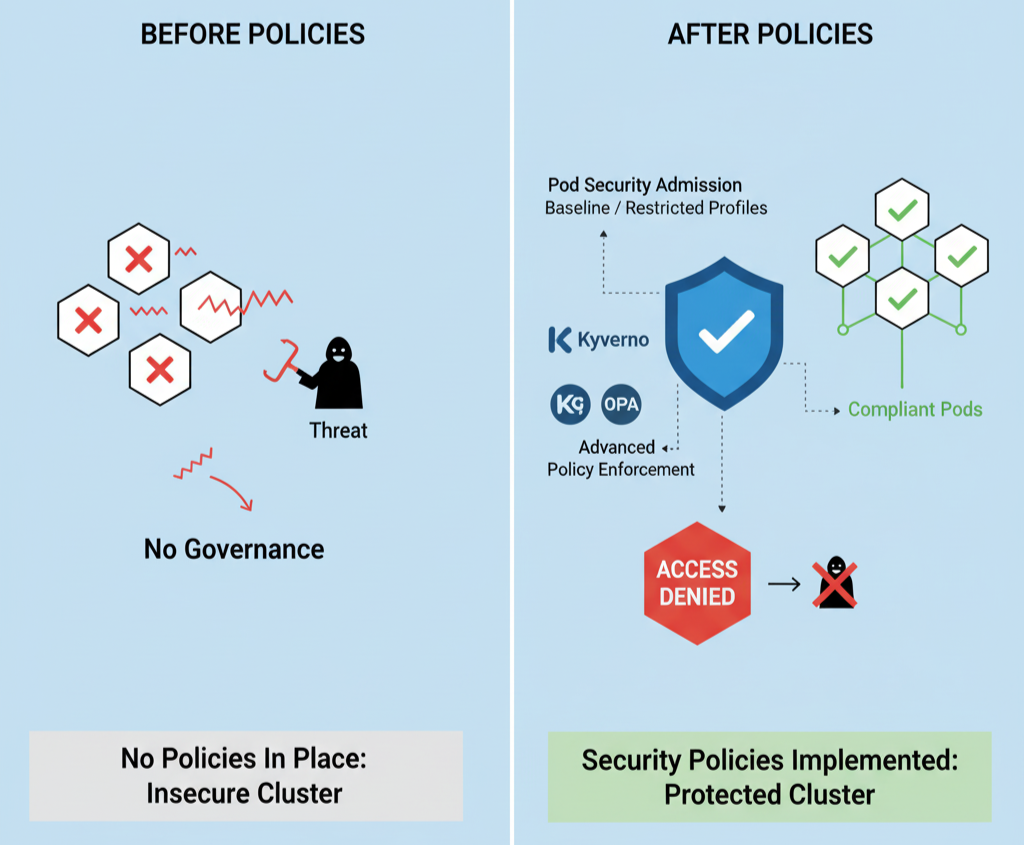
Apply Pod Security Admission to your Kubernetes Pod using baseline or restricted profiles at the namespace level. Use third-party tools like Kyverno or Open Policy Agent for advanced policy enforcement. Start with audit or warn modes to identify violations before enforcing rules. These policies help maintain governance and prevent configuration drift across clusters.
Troubleshooting Common Pod Issues
- Pods not starting: Check resources, node readiness, and affinity rules.
- Image pull errors: Verify image names, registry credentials, and network connectivity.
- Policy failures: Ensure namespaces and service accounts have proper permissions.
- Use kubectl logs <pod-name> to review container-level issues and identify the root cause.
[Need assistance with a different issue? Our team is available 24/7.]
Conclusion
Knowing how to create, view, and destroy a pod in Kubernetes lets you manage workloads effectively. Proper setup, monitoring, and security ensure your applications run smoothly and stay reliable.
In brief, our Support Experts demonstrated how to fix the “554 5.7.1 : Relay access denied” error.

