


View indexes on a table in MySQL Workbench to optimize performance and manage data efficiently. Our MySQL Support team is ready to assist you.
Guide to Checking Indexes on a Table in MySQL Workbench
Understanding indexes in MySQL is essential for managing database performance and ensuring efficient data retrieval. Indexes help speed up queries, organize table data, and improve overall database efficiency. This article explains how to view indexes in MySQL and MySQL Workbench using both graphical tools and SQL queries. By following these methods, you can quickly inspect table structures, analyze index details, and optimize your database workflows.
How to View Indexes on a Table in MySQL Workbench
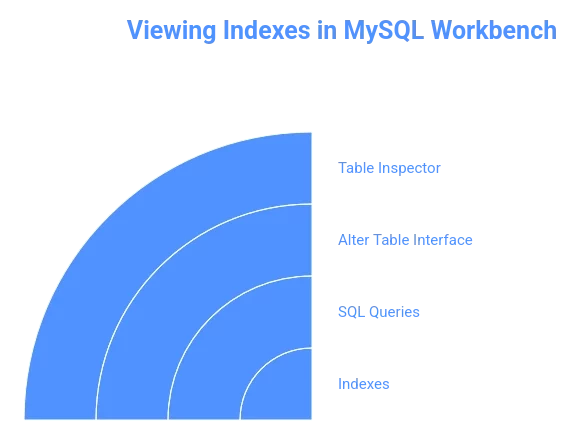
Checking indexes in MySQL Workbench helps you understand table structure and optimize performance. There are several ways to view indexes depending on your preference for a graphical interface or SQL queries.
Using Table Inspector
- Open MySQL Workbench and locate the table in the schema browser
- Right-click the table and select Table Inspector
- Click the Indexes tab to see all indexes linked to the table
Alter Table Interface
- Right-click the table and select Alter Table
- In the table editor, navigate to the Indexes tab to view or modify indexes and ensure that you have properly configured to enable local infile in MySQL if required for certain import operations.
SQL Queries
- To list indexes quickly, run:
SHOW INDEXES FROM table_name;- For a cleaner view, use:
SHOW CREATE TABLE table_name;- This displays the full table structure with indexes, making it easier to read
Viewing indexes this way helps you manage database performance and understand how tables are structured. Choose the approach that suits your workflow and makes database management simpler.
Optimize your MySQL database by viewing indexes easily

How to View Indexes in MySQL
In MySQL, you can view indexes for a table or database using two main methods: the SHOW INDEX statement or querying the INFORMATION_SCHEMA.STATISTICS table.
- Using SHOW INDEX
The SHOW INDEX command provides detailed information about the indexes on a specific table.
- For a table in the current database:
SHOW INDEX FROM table_name;- For a table in a different database:
SHOW INDEX FROM table_name IN database_name;or
SHOW INDEX FROM database_name.table_name;The output includes details such as table name, index name, columns, uniqueness, sequence in index, index type, and more.
- Querying INFORMATION_SCHEMA.STATISTICS
The INFORMATION_SCHEMA.STATISTICS table contains metadata for all indexes accessible to the current user. You can use it to view indexes across databases or specific tables.
- Indexes for all tables in a database:
SELECT DISTINCT TABLE_NAME, INDEX_NAME,

GROUP_CONCAT(COLUMN_NAME ORDER BY SEQ_IN_INDEX) AS index_columns

FROM INFORMATION_SCHEMA.STATISTICS

WHERE TABLE_SCHEMA = 'database_name'

GROUP BY TABLE_NAME, INDEX_NAME

ORDER BY TABLE_NAME, INDEX_NAME;- Indexes for a specific table:
SELECT DISTINCT TABLE_NAME, INDEX_NAME,

GROUP_CONCAT(COLUMN_NAME ORDER BY SEQ_IN_INDEX) AS index_columns

FROM INFORMATION_SCHEMA.STATISTICS

WHERE TABLE_SCHEMA = 'database_name' AND TABLE_NAME = 'table_name'

GROUP BY TABLE_NAME, INDEX_NAME

ORDER BY TABLE_NAME, INDEX_NAME;- Indexes across all databases (excluding system databases):
SELECT index_schema, table_name, index_name,

GROUP_CONCAT(column_name ORDER BY seq_in_index) AS index_columns,

index_type, CASE non_unique WHEN 1 THEN 'Not Unique' ELSE 'Unique' END AS is_unique

FROM INFORMATION_SCHEMA.STATISTICS

WHERE table_schema NOT IN ('information_schema', 'mysql', 'performance_schema', 'sys')

GROUP BY index_schema, table_name, index_name, index_type, non_unique

ORDER BY index_schema, table_name, index_name;
Both methods are compatible with DirectAdmin remote MySQL connections, making it easier to manage and optimize indexes across remote databases. Also the methods provide complete details about indexes, including their names, columns, uniqueness, and other important properties, helping you manage and optimize your MySQL databases effectively.
[Need assistance with a different issue? Our team is available 24/7.]
Conclusion
Viewing indexes on a table in MySQL Workbench ensures better database performance and efficient data management. Regularly checking indexes helps keep your database organized and optimized.

