


Get AWS consulting services for IAM users, roles, policies, and secure access management. Improve AWS security with least privilege practices.
AWS Identity and Access Management (IAM) is a core AWS service for controlling access to AWS resources. It defines who can access AWS resources, what actions they can perform, and under which conditions those actions are allowed. A well-managed IAM setup helps reduce excessive permissions and limits the impact of compromised credentials.
Many organizations start with broad permissions such as AdministratorAccess because they make initial setup easier. Over time, broad access can create security risks and make permission management harder. AWS recommends using least privilege, temporary credentials, and appropriate IAM roles and policies to control access.
This guide explains AWS IAM users, roles, groups, and policies, along with common use cases, practical examples, best practices, and common mistakes.
For organizations managing multiple AWS accounts and workloads, AWS consulting services can help review IAM configurations, access permissions, and identity management practices.
An Overview
What is AWS IAM?
AWS Identity and Access Management (IAM) is a global AWS service that controls access to AWS services and resources. IAM allows administrators to:
- Create and manage IAM users and groups
- Assign permissions through policies
- Provide temporary access through roles
- Use Multi-Factor Authentication (MFA)
- Control console and programmatic access
- Review and manage access permissions
An IAM user starts with no permissions. Access is granted when policies are attached to the user or when the user is added to a group that has the required policies.
For many human users, AWS now recommends federation and temporary credentials instead of IAM users with long-term credentials. IAM users still have specific use cases, including situations that are not supported by federated access.
Core IAM Components
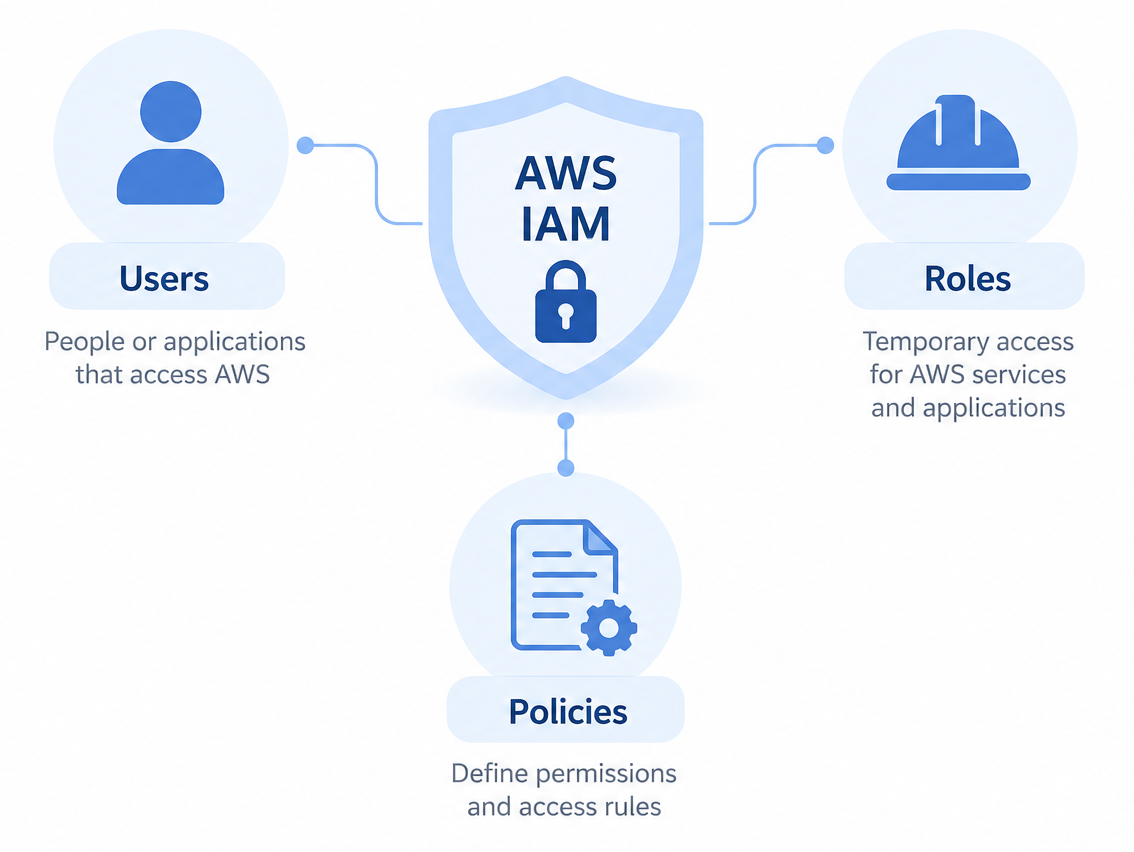
AWS IAM mainly uses four components:
- IAM Users
- IAM Groups
- IAM Roles
- IAM Policies
These components work together to define identities, permissions, and access conditions.
Talk to Our AWS Experts.

IAM Users
An IAM user represents an identity that needs access to AWS. An IAM user can have long-term credentials such as a password or access keys.
Users can authenticate using:
- AWS Management Console credentials
- Access keys
- AWS CLI or SDK credentials
Permissions can be attached directly to a user or inherited through IAM groups.
For human users, AWS recommends using federation and temporary credentials where possible. If IAM users are required, MFA and limited permissions should be used.
Common Use Cases for IAM Users
Specific Human Access
IAM users can support specific human access needs when federation or IAM Identity Center does not meet the use case.
Development Access
A developer may need limited access to services such as Amazon EC2, Amazon S3, Lambda, or Amazon RDS.
Programmatic Access
Some applications that run outside AWS may require IAM user access keys. AWS recommends roles instead when the workload runs on AWS.
Emergency Access
Organizations can maintain tightly controlled emergency access identities for specific recovery situations.
Example Scenario
A developer named Alan requires access to:
- Amazon EC2 for read-only access
- Amazon S3 for uploading files
- CloudWatch Logs
Instead of giving Alan administrator permissions, an administrator creates:
- IAM User: alan-dev
- Group: Developers
- Custom policy with limited EC2, S3, and CloudWatch permissions
This follows the principle of least privilege because the identity receives only the permissions required for the stated tasks.
IAM Roles
IAM roles provide temporary security credentials. Unlike IAM users, roles are not associated with standard long-term credentials such as passwords or access keys. A role provides temporary credentials when a trusted identity assumes it.
Roles can be assumed by:
- AWS services
- Applications
- IAM users
- Identities from another AWS account
- Federated identities
AWS recommends using IAM roles for applications and services instead of storing long-term access keys in code or on servers.
Why IAM Roles are Important
IAM roles address several common credential management problems:
| Problem | IAM Role Approach |
|---|---|
| Access keys stored in applications | Temporary credentials |
| Cross-account access | Role assumption |
| Long-term credentials | Short-lived session credentials |
| Shared credentials | Individual role sessions |
Temporary credentials reduce the need to store long-term access keys in applications and workloads.
Common IAM Role Types
Service Roles
AWS services and workloads can assume roles to access other AWS resources.
Examples include:
- Amazon EC2
- AWS Lambda
- Amazon ECS
- AWS CloudFormation
Cross-Account Roles
Cross-account roles allow a trusted identity from another AWS account to access resources according to the role permissions and trust policy.
Federated Access
Federated identities can assume IAM roles through an external identity provider.
Common identity providers include:
- Google Workspace
- Okta
- Microsoft Entra ID
Service-Linked Roles
Service-linked roles are special IAM roles linked to an AWS service. The service creates and manages these roles for supported service operations.
IAM roles use temporary security credentials when a role is assumed.
Example: EC2 Instance Role
Suppose an EC2 instance needs access to an S3 bucket.
Bad Practice:
- Store AWS access keys on the server
Recommended Practice:
- Attach an IAM role to the EC2 instance
The EC2 workload can then obtain temporary credentials through AWS. This removes the need to store a long-term access key and secret access key on the server.
IAM Policies
IAM policies define permissions in AWS. Most IAM permission policies use JSON documents to specify:
- Allowed or denied actions
- AWS resources
- Conditions
- Principals where supported by the policy type
Identity-based policies can be attached to users, groups, and roles. Resource-based policies can be attached to supported AWS resources.
Basic IAM Policy Structure
{

"Version": "2012-10-17",

"Statement": [

{

"Effect": "Allow",

"Action": [

"s3:GetObject"

],

"Resource": [

"arn:aws:s3:::company-data/*"

]

}

]

}
This example allows the s3:GetObject action for objects in the specified S3 bucket.
Key Policy Elements
| Element | Description |
|---|---|
| Effect | Allows or denies an action |
| Action | AWS API actions covered by the statement |
| Resource | AWS resources affected by the statement |
| Condition | Optional rules that restrict access |
| Principal | The identity that receives access in policy types that support it |
The exact elements used depend on the type of policy. For example, identity-based policies do not use Principal to specify the identity receiving the permissions.
Types of IAM Policies
AWS Managed Policies
AWS managed policies are predefined policies created and maintained by AWS.
Examples include:
AmazonS3ReadOnlyAccess
and
AdministratorAccess
Advantages
- Easy to assign
- Suitable for many common access needs
- AWS maintains the policy
Limitation
- Permissions may be broader than the exact access required by your environment.
AWS managed policies can change when AWS updates them. Review the permissions before using them for sensitive workloads.
Customer Managed Policies
Customer managed policies are policies created and managed by an organization.
Advantages
- Fine-grained permission control
- Policies can match specific workloads and job needs
- A single policy can be reused across users, groups, and roles
For least privilege, AWS recommends creating policies that grant only the permissions required for a task.
Inline Policies
Inline policies are embedded directly into a single user, group, or role.
They can be useful for:
- A strict one-to-one permission relationship
- Special purpose permissions
However, inline policies are harder to reuse and manage across multiple identities. AWS generally recommends managed policies when a policy can be shared across more than one identity.
IAM Groups
IAM groups help manage permissions for multiple IAM users.
Instead of attaching the same policies to each user:
- Create a group
- Attach policies to the group
- Add users to the group
Example:
| Group | Permissions |
|---|---|
| Developers | EC2 + CloudWatch |
| DBAdmins | RDS access |
| Auditors | Read-only access |
When a policy is attached to a group, its users receive the permissions defined by that policy.
Understanding Least Privilege
The principle of least privilege means:
Grant only the permissions required to perform a task.
This approach can reduce:
- Accidental changes
- Unnecessary access
- The impact of compromised credentials
- Privilege escalation risks
AWS recommends starting with the minimum required permissions and reviewing access activity to remove permissions that are not needed.
For complex environments, AWS cloud consulting can help teams review permission boundaries, identify excessive access, and align IAM policies with workload requirements.
IAM Best Practices
1. Avoid Using the Root User for Daily Tasks
The AWS account root user has full access to account resources. AWS recommends creating an administrative identity for everyday work instead of using the root user.
Use the root user only for tasks that require root credentials.
Also enable MFA for the root user. AWS now requires MFA for AWS account root users.
2. Enable MFA
MFA adds another authentication factor to AWS access.
AWS recommends MFA for IAM users and strongly recommends phishing-resistant options such as passkeys and security keys where possible.
3. Prefer IAM Roles Over Long-Term Access Keys
Avoid long term credentials when temporary credentials can meet the requirement.
Use:
- EC2 instance roles
- Lambda execution roles
- Temporary AWS STS credentials
- Federated access for human users
Roles reduce the need to store access keys in application code or servers.
4. Avoid Direct Policy Attachments to IAM Users
For many access management scenarios, use:
- Groups
- Roles
- Managed policies
This makes permission management easier when several identities need the same access.
AWS Security Hub also includes a control that checks whether IAM users have policies attached directly to them.
5. Rotate Access Keys When They Are Required
Some workloads outside AWS may still need long-term access keys.
For these cases:
- Rotate access keys regularly
- Remove unused keys
- Store credentials securely
- Prefer temporary credentials where possible
AWS Prescriptive Guidance recommends rotating long-term IAM access keys every 90 days or less.
6. Use IAM Access Analyzer
IAM Access Analyzer helps review AWS access and permissions.
It can help identify:
- External access to supported resources
- Unused roles and credentials
- Unused permissions
- Policy issues and overly broad permissions
It can also validate IAM policies against IAM policy grammar and AWS best practices.
7. Monitor IAM Activity
Use AWS services such as:
- AWS CloudTrail
- AWS Config
- Amazon GuardDuty
These services serve different security and monitoring purposes. CloudTrail records AWS API activity, AWS Config tracks resource configuration, and GuardDuty helps detect certain security threats.
IAM Access Analyzer can also use CloudTrail activity when generating policies based on actual access activity.
Real World Scenario
Fictional Case: MediaTech Solutions
MediaTech hosted multiple AWS workloads for development and production teams.
Initially:
- Developers shared IAM accounts
- Many users had AdministratorAccess
- EC2 instances stored access keys
Problems included:
- Difficulty tracking individual activity
- Excessive permissions
- Risk of accidental resource changes
- Long-term credentials stored on workloads
Solution
The DevOps team redesigned the IAM setup.
Users and Groups
- Separate IAM users for each employee where IAM users were required
- Group-based permissions
Roles
- EC2 roles for S3 access
- Lambda execution roles
- Cross-account deployment roles
Policies
- Broad administrator access replaced with more focused permissions
Security Improvements
- MFA enforcement
- Access key rotation where long-term keys were required
- IAM Access Analyzer reviews
Results
After applying the IAM changes:
- Individual access became easier to track
- CloudTrail provided better audit visibility
- Automation workloads no longer needed stored long-term keys where roles were used
- Permission management became more controlled
- Security review became easier
These results describe the fictional scenario above and do not represent measured results from a real customer environment.
Common IAM Mistakes
| Mistake | Risk |
|---|---|
| Using the root user for daily work | Unnecessary exposure of full account access |
| Sharing IAM accounts | Poor individual accountability |
| Hardcoding access keys | Credential exposure |
Overusing |
Excessive permissions |
| No MFA | Greater risk if credentials are compromised |
| Unused users or keys | Unnecessary access |
Recommended IAM Architecture
A secure AWS IAM setup generally includes:
- MFA for applicable human users
- Group-based access where IAM users are required
- IAM roles for AWS workloads
- Temporary credentials where possible
- Least privilege policies
- Regular access reviews
- CloudTrail-based audit logging
- IAM Access Analyzer reviews
For organizations using multiple AWS accounts, AWS IAM Identity Center can also provide centralized workforce access with temporary credentials.
Conclusion
AWS IAM provides the controls needed to manage access to AWS resources. Users, groups, roles, and policies each serve different purposes, so the right combination depends on the identity and workload.
The key practices are:
- Use IAM users only when the use case requires them
- Prefer IAM roles for AWS workloads
- Use federation and temporary credentials for human access where possible
- Grant only the permissions required
- Protect identities with MFA
- Review access and remove unused permissions
- Avoid long term credentials when temporary credentials can meet the requirement
A well-managed IAM setup gives teams better control over AWS access and reduces unnecessary permissions. Regular reviews also help keep access aligned with current users, workloads, and business needs.

