


Managed kubernetes & containers services help plan and move workloads safely with a phased approach and proven migration strategies.
Kubernetes migrations are more complicated than cluster-based application movement. Decisions about which workloads should move to Kubernetes, how they should be moved, and which workloads should remain where they are must be addressed.
The migration can be planned in stages, ranging from assessing workloads to cluster setup, security, cost control, observability, and testing.
- Choose the Right Kubernetes Migration Strategy
- Assess Applications Before Migration
- Build the Kubernetes Environment
- Manage Configuration and Secrets
- Use GitOps and Test the Cutover
- Plan for the 2026 Kubernetes Changes
- Control Kubernetes Costs
- Set a Security Baseline
- Set Up Observability Early
- Follow a Phased Migration Plan
- Avoid Common Migration Mistakes
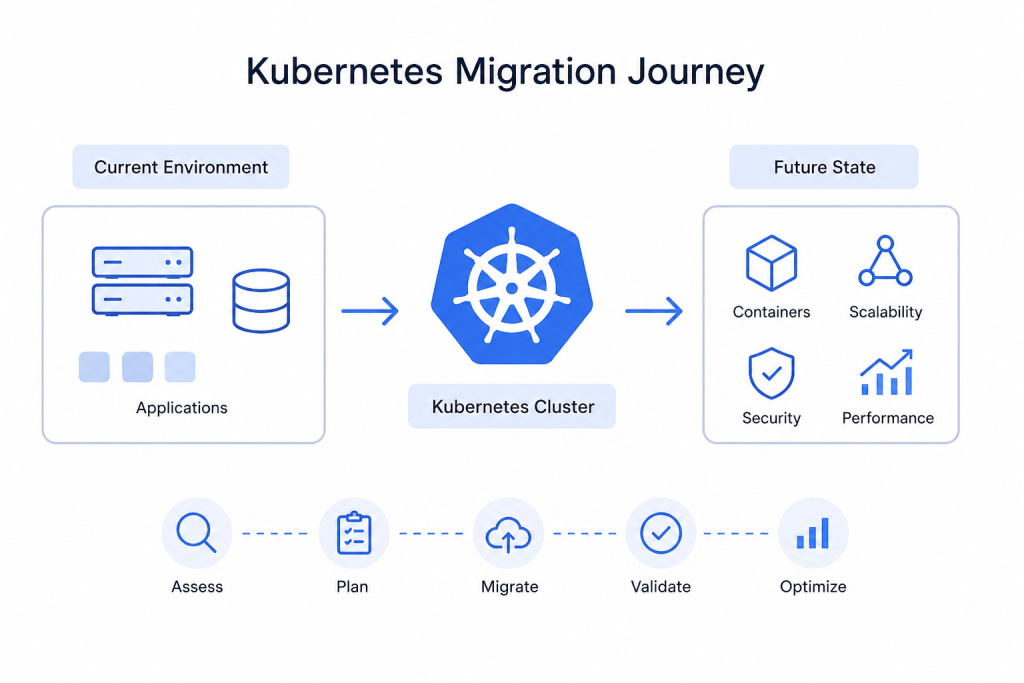
Choose the Right Kubernetes Migration Strategy
Different workloads need different migration approaches. Classify each workload first, then choose the strategy that fits it.
| Workload | Recommended approach |
|---|---|
| Stateless web and API services | Rehost, then lightly replatform |
| Databases and stateful stores | Keep them on managed services outside the cluster |
| Batch jobs and ML training | Move early and use spot capacity |
| GPU and real-time inference | Use dedicated node pools with DRA |
| Legacy VMs | Use KubeVirt or move them gradually |
Rehost, replatform, refactor, and the strangler pattern still apply. However, avoid using one strategy for every workload.
Assess Applications Before Migration
Before you start creating Kubernetes manifests, make sure to look at each application and see if it has the following:
- Local data: Move sessions, uploads and caches away from local disk.
- Dependencies: Look for authentication services, shared mounts, hard-coded addresses, firewall rules, and scheduled jobs.
- Restarts: Make sure your application can deal with restarts.
- Migration Value: Leave your stable applications where they are if the current setup of Kubernetes represents little to no benefit to you.
This can help bring a lot of problems before they would impact the migration.
Is your Bobcares website taking too long to load?

Build the Kubernetes Environment
Migrating applications to Kubernetes involves setting up the required platform. Decide on one of the managed Kubernetes services (EKS, GKE, AKS) or use a self-managed Kubernetes cluster, and then set this up using either Terraform or Pulumi, along with the required namespace, and registry and baseline policies.
After creating the Kubernetes environment, set resource limits and requests, readiness checks, and liveness probes for each container in the required scope. Use Kompose to transform a Docker Compose file to a preliminary version of Kubernetes manifests; however, do not use it for production until you validate the draft.
Manage Configuration and Secrets
ConfigMaps are perfect for non-secret configuration data. Use Secrets for secret data. Because Secrets in Kubernetes are base64 encoded and are not encrypted by default, connect them with an external manager such as Vault, AWS Secrets Manager or Azure Key Vault.
Tools like External Secrets Operator and Secrets Store CSI Driver can assist in the integration of these services in Kubernetes. Leverage encryption at rest for etcd.
Use GitOps and Test the Cutover
Deployments can be managed with software like Argo CD or Flux, and prior to moving production traffic, the team must rollback and test the following:
Rolling updates
Capability to manage node failures
Auto-scaling
Resource consumption – moving a small percentage of traffic permits the team to catch errors and initiate a rollback.
Plan for the 2026 Kubernetes Changes
Ingress NGINX Retirement
The community Ingress NGINX controller reached the end of maintenance in March 2026. It no longer receives new releases, fixes, or security patches.
Check whether your cluster uses it:
kubectl get pods --all-namespaces \
  -l app.kubernetes.io/name=ingress-nginx
The Gateway API provides the main direction for new traffic management work. The ingress2gateway tool can help translate existing Ingress resources, but test routing, TLS, rewrites, and rate limits before removing the old controller.
Containerd 1.x Support
Kubernetes 1.35 is the last release that supports containerd 1.x. If your migration includes a Kubernetes upgrade, plan the move to containerd 2.0 or later.
Control Kubernetes Costs
Kubernetes costs can rise when teams reserve more resources than applications need.
Focus on:
- Resource requests: Actual vs. estimated; utilize VPA recommendations to scale resources
- Autoscaling: HPA with node autoscaler (e.g., Karpenter) is needed to scale pods and nodes.
- Temporary workloads: Spot or preemptible capacity is acceptable where resources can be interrupted.
- Cross-zone traffic: To the extent possible, traffic should remain within the same availability zone.
Kubecost can also help track spending by workload and team.
Set a Security Baseline
Set basic security controls before moving production workloads.
- Use NetworkPolicy to restrict Pod traffic.
- Apply least-privilege RBAC.
- Use Pod Security Standards.
- Scan container images for known vulnerabilities.
- Sign images with Cosign when provenance matters.
- Use Falco or Tetragon to detect unusual runtime activity.
A default-deny NetworkPolicy can block unwanted incoming traffic. Then allow only the connections each application needs.
Set Up Observability Early
Start monitoring your clusters before production traffic arrives.
For your metrics and logs, you can use a stack of Prometheus and Grafana. Use distributed tracing for microservices.
Keep an eye on the four golden signals: latency, traffic, errors and saturation. Also monitor Pod restarts, OOMKills, Pending Pods and node memory or disk pressure.
Follow a Phased Migration Plan
A phased rollout helps reduce migration risk.
| Phase | Focus |
|---|---|
| Weeks 1–3 | Inventory workloads, map dependencies, and choose strategies |
| Weeks 4–6 | Build the cluster, registry, GitOps, security, and observability |
| Weeks 7–10 | Move low-risk stateless services |
| Week 11 onward | Move remaining workloads by priority |
Start with simpler workloads. Then use those lessons to handle stateful, GPU, and other complex workloads.
Avoid Common Migration Mistakes
Many teams make mistakes when they:
- Apply the same strategy to each workload
- Over- allocate resources
- Don’t make requests for resources or configure health checks
- Move databases first
- Make changes that are not reversible
- Prioritize work over security
- Ignore the Kubernetes versions
- Are unaware of application dependencies
Following a workload-by-workload process mitigates these issues.
Conclusion
A well-formulated strategy will enable a successful migration to Kubernetes. Analyze each workload in detail, choose the optimal migration method, and prepare the cluster for migration of production workloads.
Kubernetes needs to be managed along with other elements, including resource consumption, execution of security policies, monitoring of the environment, and planning for the 2026 Kubernetes changes. You also must not push workloads to Kubernetes just because you can. You must move workloads to Kubernetes only when the platform offers you specific advantages.

