


Modernize legacy cron with a clear migration plan. Our Server Management and Cloud Management Support team ensures a smooth transition.
From Legacy Cron to Modern Orchestration: A Practical 6 Step Migration Framework
Many teams still use cron to run critical background tasks, but it often struggles in modern, distributed systems.
This article explains why legacy cron workflows fall short and outlines a clear six-step migration plan to move toward a more reliable, scalable, and observable scheduling setup.
Why Legacy Cron Workflows Fall Short in Modern Systems
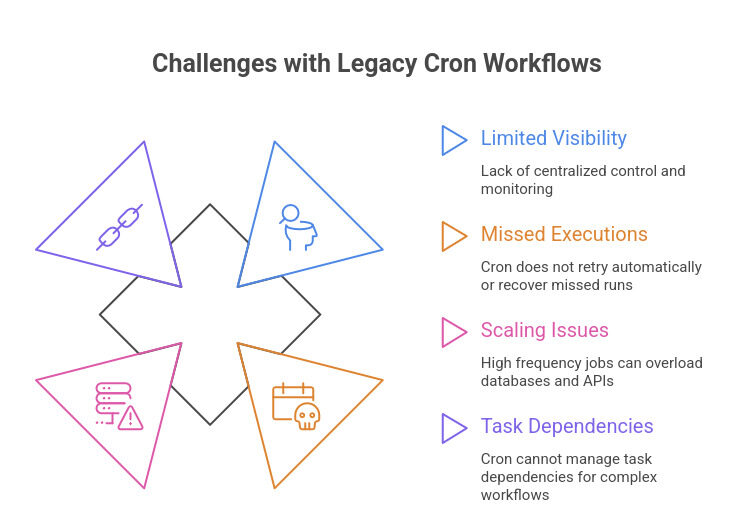
If you rely on cron jobs to run critical processes, you may struggle with limited visibility, missed executions, and scaling issues. Cron works per server, so you lack centralized control and monitoring. When failures occur, it does not retry automatically or recover missed runs.
As traffic grows, high frequency jobs can overload databases and APIs because cron cannot scale dynamically. It also cannot manage task dependencies for complex workflows. Teams often move to platforms like Argo Workflows or Apache Airflow to gain reliability, observability, and scalable orchestration.
Cron Migration in 6 Detailed Steps for Modern Infrastructure
If you are replacing legacy cron workflows, you need more than a simple scheduler swap. You need discovery, performance analysis, architecture redesign, load stabilization, observability, and controlled rollout. Below is a complete six step migration framework that includes all operational details.
Start Your Migration Today

Step 1. Perform a Full Cron Discovery Audit
Before changing anything, identify every scheduled task across your environment.
Enumerate all cron jobs
List root and user crons
crontab -u root -l

crontab -l
Check system cron directories
ls /etc/cron.hourly/

ls /etc/cron.daily/

ls /etc/cron.weekly/

ls /etc/cron.monthly/

ls /etc/cron.d/
Search for embedded cron references inside application code
grep -R "cron" /etc /opt /usr/local/binFor container workloads
docker exec <container> crontab -lDocument
• Owner
• Frequency
• Script location
• Downstream systems
• Business impact
This prevents hidden dependencies from breaking later.
Step 2. Identify Heavy and High Risk Jobs
Measure runtime and resource usage to find unstable workloads.
Measure execution duration
/usr/bin/time -v /path/to/script.shMonitor system metrics during execution
CPU usage
top

pidstat
IO wait
iostatDatabase locks
SHOW PROCESSLISTMemory usage
vmstatRecord execution metrics
Track
• Average duration
• Peak duration
• Concurrency conflicts
• Database load
• Disk usage
• Failures
• Overlapping runs
Instrument timestamp logging
echo "Start: $(date)" >> /var/log/job.logThis step creates a risk based prioritization model.
Step 3. Map Each Job to a Modern Replacement Strategy
Not all cron jobs require the same solution. Choose based on complexity and scale.
Option A. Replace with systemd Timers
Best for lightweight host level jobs.
Service file example
[Unit]

Description=Run custom job

After=network-online.target
[Service]
Type=oneshot
ExecStart=/usr/bin/flock -n /var/lock/myjob.lock /usr/local/bin/script.shTimer file example
[Timer]

OnCalendar=*:0/5

Persistent=true

RandomizedDelaySec=30/
Option B. Migrate to Queue Based Workers
Best for heavy, parallel, or high throughput tasks.
- Architecture
- Producer adds jobs to queue
- Worker processes tasks
- Supervisor or system manager controls workers
- Monitoring tracks throughput
Redis queue example
Producer
RPUSH report_queue "job_id:123"Worker
BLPOP report_queue 0Supervisor worker example
[program:report-worker]

command=php /var/www/app/worker.php

numprocs=4

autorestart=true
This allows concurrency control and horizontal scaling.
Option C. Cloud Native Scheduling
Best for distributed and multi region workloads.
Example using AWS EventBridge
aws events put-rule \

--name DailyPipeline \

--schedule-expression "cron(0 2 * * ? *)"
Step 4. Reduce Load Spikes During Migration
Legacy cron often creates predictable traffic bursts.
Controlled execution windows
Schedule heavy jobs during off peak hours
systemd example
OnCalendar=Mon..Sun 01:00Cloud scheduler example
cron(0 1 * * ? *)Concurrency control mechanisms
File lock
flock -n /var/lock/myjob.lock -c "/usr/local/bin/myjob.sh"MySQL lock
SELECT GET_LOCK('job_name', 5);PostgreSQL advisory lock
SELECT pg_try_advisory_lock(12345);Redis distributed lock
SET lock_key "1" NX PX 30000Batching logic
Process data incrementally instead of all at once
php process_data.php --offset=0 --limit=500Asynchronous pipelines
Move blocking workloads into queue driven workers or serverless functions such as AWS Lambda to eliminate long synchronous runtime.
Step 5. Improve Observability and Reliability
Migration is incomplete without visibility.
Structured logging
Use JSON based logs
{

"job": "daily_cleanup",

"duration": 16,

"status": "success"

}
Predictive monitoring
Track
- Job duration
- Failure rate
- Queue depth
- Worker error rates
- CPU usage
- Database contention
Prometheus backlog example
sum(rate(redis_queue_length[5m])) > 500Automatic retries
Implement retry policies with backoff and dead letter queues.
Example AWS Lambda configuration
MaximumRetryAttempts: 3Workflow engines such as Apache Airflow or Argo Workflows provide native retry handling and dependency orchestration.
Step 6. Execute the Final Migration Plan
Follow this rollout order
- Audit and classify all cron tasks
- Replace lightweight jobs with systemd timers
- Migrate heavy workloads to queues
- Shift distributed scheduling to cloud services
- Add logging, metrics, and alerts
- Conduct load testing
- Remove legacy cron entries
- Document new pipeline architecture
Final deliverables should include
- Updated architecture diagrams
- Worker definitions
- Retry logic documentation
- Monitoring dashboards
- Operational runbooks
Reliability Gains After Cron Modernization
After modernization, organizations experience smoother CPU and IO usage, no overlapping executions, and automated retries for failed jobs. Workloads scale efficiently without depending on a single server. Teams gain real time visibility into job performance, reduce recovery time, and improve uptime, strengthening overall system resilience and operational stability.
[Need assistance with a different issue? Our team is available 24/7.]
Conclusion
Upgrading legacy cron improves reliability, control, and scalability. A structured migration ensures predictable execution with proper monitoring and retries. Assess your current setup and begin transitioning to a modern orchestration model.

