


Explore Azure managed services to migrate Istio Gateway TLS certificates to Azure Key Vault while reducing manual effort and improving security.
To enable HTTPS in your service, you need to manage TLS certificates. Manual management has several issues; primarily, it increases the attack surface. This migration enabled certificate management from Azure Key Vault while keeping the Istio Ingress Gateway in place.
The Azure Key Vault Secrets Store CSI Driver and Azure Workload Identity connected Key Vault with Kubernetes. This solution reduced manual work, improved access control, and allowed certificates to be replaced without a service outage.
An Overview
The Challenge: Manual TLS Certificate Management
The team was manually managing TLS certificates by storing them in Kubernetes secrets in the ingress namespace. While this setup supported HTTPS, it meant the team had to manage each certificate.
This also increased the attack surface area by making it difficult to implement access controls. More importantly, the team had to track certificate renewals; if certificates were renewed manually, external routing would become unavailable.
Secure Your TLS Certificates.

The Solution: Connect Azure Key Vault with Istio
Istio Gateways can use local Kubernetes TLS secrets via credentialName. Since Istio cannot retrieve certificates directly from Azure Key Vault, the team used the Secrets Store CSI Driver to sync certificate data from Key Vault to Kubernetes. The team also used Azure Workload Identity to connect a Kubernetes Service Account to an Azure Managed Identity through a federated OIDC credential.
The setup we were after was:
Azure Key Vault → CSI Driver → Kubernetes TLS Secret → Istio Gateway
This solution allowed us to manage certificates from Azure Key Vault while still using Istio.
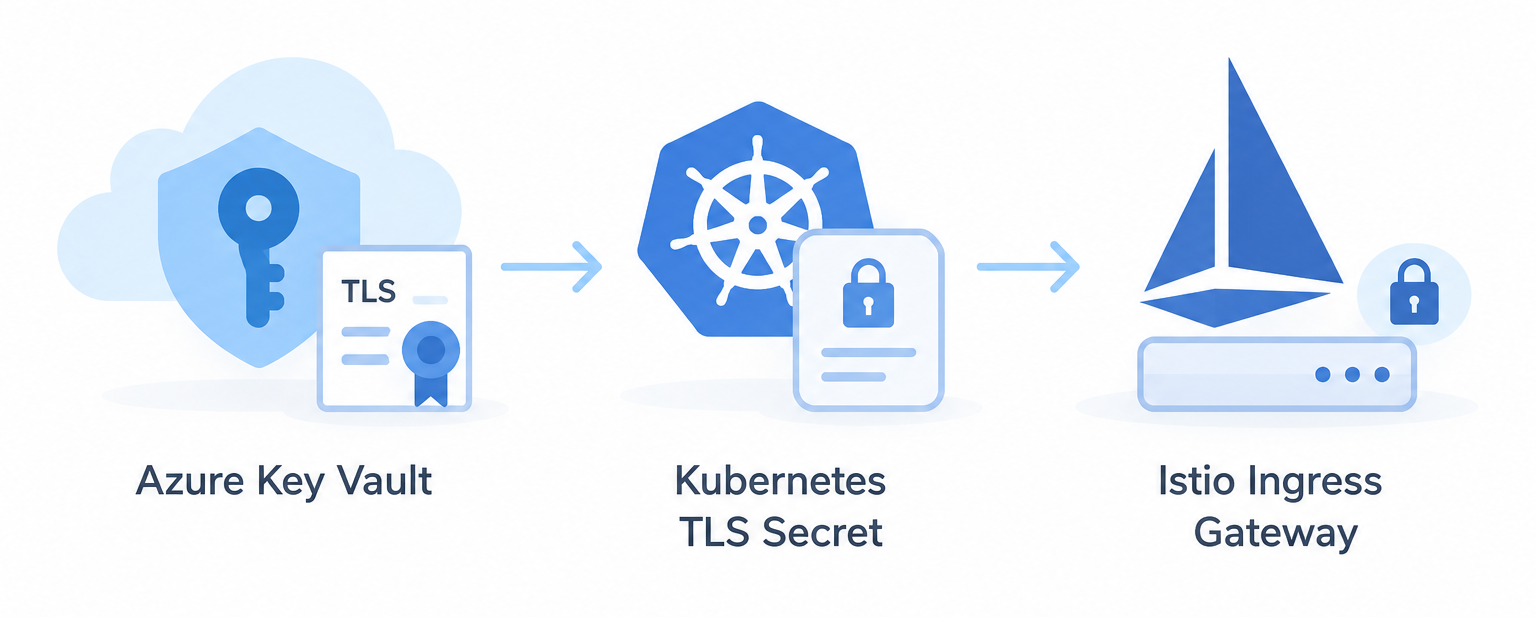
Migration Process
The migration occurred in four phases.
Phase 1: Move the Certificate
The team exported the active certificate components and constructed an encrypted PKCS12 (.pfx) file. They imported the file to Azure Key Vault as a certificate asset.
Lastly, the team assigned the necessary Azure RBAC roles to the cluster’s Managed Identity.
Phase 2: Set Up Workload Identity
The team provisioned a dedicated Kubernetes Service Account and associated it with the Azure Client ID.
The team subsequently associated a federated credential with the Azure Managed Identity and the OIDC issuer URL for the AKS cluster. Now, the team doesn’t need to manage long-lived cloud credentials in the cluster.
Phase 3: Sync the Certificate
The team created a SecretProviderClass to associate the Key Vault certificate with a Kubernetes TLS secret.
As the CSI driver needs to mount a pod to perform the retrieval and synchronization, a temporary lightweight deployment performed the first synchronization and created the TLS secret.
Phase 4: Update the Istio Gateway
The team backed up the previous state of the Istio Gateway prior to the update.
The team then altered credentialName to point to the newly managed CSI secret. A rolling update of the ingress deployment installed the new certificate without disturbing active traffic.
Verification
The team executed the validation scripts and conducted external TLS handshake tests after completing the cross-over.
The verification checks confirmed the Kubernetes secret contained the certificate and private key. Additionally, live HTTPS communication used a new certificate with a valid future period before expiration.
Results
| Area | Before | After |
|---|---|---|
| Source of truth | Kubernetes TLS secrets | Azure Key Vault |
| Access control | Cluster-level access | Azure RBAC |
| Renewal process | Manual updates | Rotation and background sync |
| Audit trails | Limited | Azure access logs |
The migration improved certificate management and access control. Istio still needs to use the Kubernetes TLS secret for its Gateway configuration.
Conclusion
Azure Key Vault stores the secret. The Secrets Store CSI Driver runs the sync. Istio uses the secret for HTTPS traffic.
This design improved access control, reduced manual work, and added certificate migration for HTTPS traffic. Our Azure Consulting team is here to help if you are having trouble enabling HTTPS in your service.

