


Strengthen Linux and Windows security with server management services. Follow this 2026 server hardening checklist for safer, reliable servers.
Brute-force attacks constantly target exposed SSH and RDP ports in 2026. Mid-sized infrastructure now attracts direct attacks, and the old assumption that “inside the network is safe” has collapsed. Most successful breaches still start with basic gaps: default SSH configurations without MFA, unpatched known exploited vulnerabilities, and overly permissive firewalls.
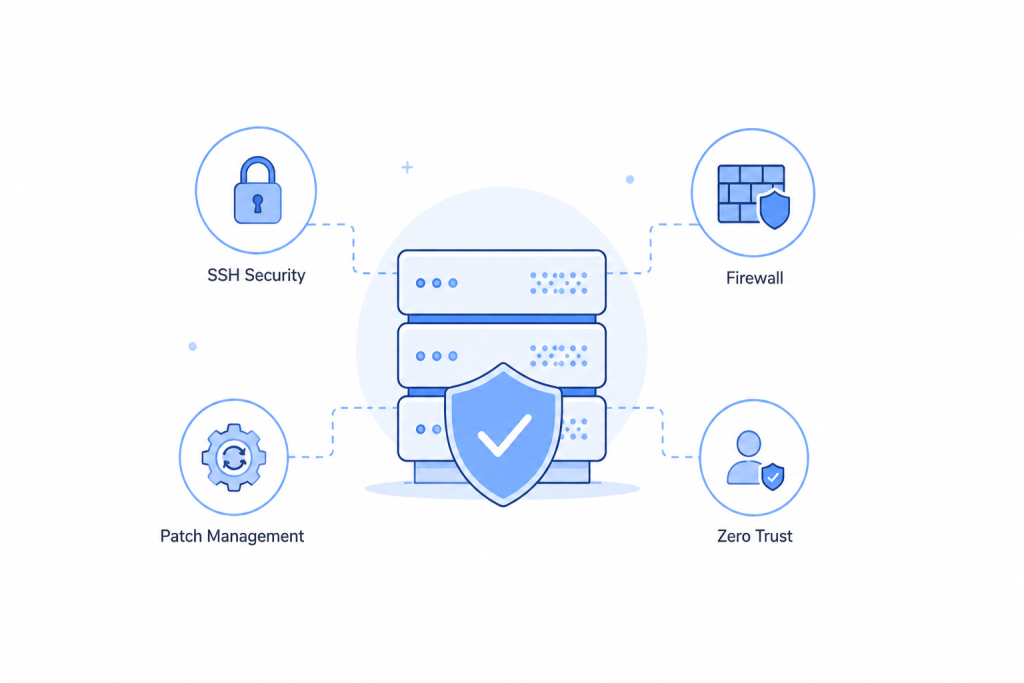
This practical, field-tested checklist focuses on the four areas that deliver the highest risk reduction for Linux (Ubuntu, Debian, RHEL, AlmaLinux, CloudLinux) and Windows Server (2019/2022/2025) environments. No vendor pitches — just the configuration changes and processes that actually work.
Our Infrastructure Management & Security Team at Bobcares helps hosting providers and businesses implement these controls across thousands of cPanel, Plesk, VPS, and cloud servers every month. We turn reactive security into reliable, auditable operations.
An Overview
- Server Hardening Checklist 2026 Linux & Windows
- SSH Hardening: Still the Weakest Door on Most Servers
- Firewall Configuration — Default Deny Done Practically
- Patch Management — The Boring Control That Prevents Most Breaches
- Zero-Trust for Server Admins — Practical Translation
- General Hardening Essentials
- Quick Reference: Top Priority Actions for 2026
Server Hardening Checklist 2026 Linux & Windows
Why Server Hardening Matters in 2026
Attackers no longer need to target only large enterprises. Automated scanning can find exposed management ports within minutes. Once attackers get inside, they can move laterally quickly. Fortunately, basic, well-known issues still cause the majority of compromises, and hardening directly addresses these issues.
An Overview
- SSH Hardening — Lock down the most exposed door
- Firewall Configuration — Default deny that actually works
- Patch Management — Prioritize what attackers are already exploiting
- Zero-Trust Controls — Verify every request and limit the blast radius
- General Essentials + Quick Reference Checklist
Secure Your Servers Today.

SSH Hardening: Still the Weakest Door on Most Servers
Attackers probe exposed SSH first. Default OpenSSH settings prioritized compatibility in 2003 — not security in 2026.
Key Hardening Steps (Linux)
- Disable root login — Set
. Use a regular account + sudo instead. Root sessions often bypass proper logging.PermitRootLogin no - Switch to key-based authentication — Generate Ed25519 keys (
). Setssh-keygen -t ed25519 -a 100
. Test thoroughly before disabling passwords.PasswordAuthentication to no - Add MFA for sensitive systems — Install
and configurelibpam-google-authenticator
.AuthenticationMethods publickey,keyboard-interactive - Use modern cryptography only — Restrict ciphers to
,[email protected]
, and[email protected]
. Use strong MACs and KexAlgorithms (curve25519-sha256, larger DH groups). Remove weak Diffie-Hellman moduli.[email protected] - Set connection limits — Configure
,MaxAuthTries 3
,LoginGraceTime 30
, andClientAliveInterval 300
. A non-standard port reduces scan noise, but use it only as defense in depth.ClientAliveCountMax 2
Windows (OpenSSH + WinRM)
- Install OpenSSH Server through Server Manager or PowerShell.
- Apply the same
principles.sshd_config - WinRM: Force HTTPS (port 5986) and disable HTTP (5985). Then restrict access by IP using Windows Firewall.
- Disable WinRM on servers when you do not need it.
Result: These measures stop credential stuffing and brute-force attacks, provide clear audit trails, and ensure that a stolen key alone cannot provide access when you use MFA.
Firewall Configuration — Default Deny Done Practically
Most servers have a firewall enabled. However, far fewer administrators configure it restrictively or review it regularly.
Linux (ufw / firewalld / nftables)
- Enable the firewall and set the default policy to deny incoming traffic.
- Allow outgoing traffic for necessary services only (DNS, NTP, package repositories, and your application destinations), or use default-allow outgoing traffic with explicit rules.
- Control access to SSH management ports by limiting them to trusted IPs. You can also use VPNs or bastion hosts for more granular access control.
- Add inbound ports that require active access, such as port 443.
- Enable logging and review firewall rules regularly (
).ufw status verbose
Windows Defender Firewall
- Ensure that Windows Defender Firewall remains enabled on all profiles, with the inbound default set to Block.
- Create specific allow rules instead of disabling the firewall for applications.
- Restrict RDP (3389) to management IP ranges only — never expose it broadly.
- Use PowerShell for auditable, reproducible rules (
).New-NetFirewallRule ... - Regularly audit and clean up rules that software installers leave behind.
Network-level controls, including security groups, VLAN segmentation, and egress filtering, add another strong layer and limit lateral movement.
Patch Management — The Boring Control That Prevents Most Breaches
Attackers often exploit CVEs for which vendors have already released patches. However, organizations sometimes fail to apply those patches.
Risk-Based Prioritization (Sustainable Approach)
- Critical (CVSS 9.0+ actively exploited) — Patch within 24–72 hours (use the CISA KEV list as a signal).
- High (CVSS 7.0–8.9) — Patch within 7–14 days.
- Medium — Patch during the regular monthly cycle.
- Low — Patch quarterly or during major upgrades.
Linux Implementation
- Set up automatic security updates (unattended-upgrades on Ubuntu/Debian).
- Subscribe to distro security mailing lists.
- Test production branches against staging.
- Run a vulnerability scanner (OpenVAS, Trivy for containers) at least once a week.
- Reboot your device after kernel updates. Otherwise, use Canonical Livepatch.
Windows Implementation
- Use one of the following: WSUS, SCCM, or Intune. Employ a defined deployment ring (dev → staging → limited prod → full).
- Enable “Receive updates for other Microsoft products.”
- Monitor third-party applications such as browsers, Java, and Adobe separately and update them regularly, as they often contain vulnerabilities.
- Monitor the latest updates.
Containers & Images
Containers do not self-patch. Rebuild base images regularly, scan them with Trivy/Grype/Snyk in your CI/CD pipeline, and use minimal base images (Distroless, Alpine) to reduce the attack surface.
Zero-Trust for Server Admins — Practical Translation
Zero Trust simply means you should not automatically trust anything just because it already exists inside your network. Instead, verify every access request and grant only the minimum access necessary.
Practical Steps That Matter
- Eliminate standing admin access — Audit all sudo admin accounts and remove unnecessary ones. Implement just-in-time (JIT) privileged access (HashiCorp Vault, time-limited sudo, or commercial PAM).
- Use MFA everywhere for admin access — Not just on external systems.
- Implement microsegmentation — Block unnecessary server-to-server communication. Use VLANs, security groups, or Kubernetes network policies.
- Use certificate-based authentication & mTLS — Use certificate-based authentication instead of long-lived certificates or static passwords for service-to-service communication.
- Improve visibility & detection — Install EDR/XDR on servers (Microsoft Defender for Servers, CrowdStrike, SentinelOne) and implement a SIEM. Set thresholds for failed authentication attempts, spikes in outbound calls to malicious hosts, new scheduled tasks, and elevated privileges.
- Manage secrets securely — Never include credentials in plain text, configuration files, or code. Use HashiCorp Vault, AWS Secrets Manager, or Azure Key Vault. Scan your code regularly for secrets with tools such as git-secrets and TruffleHog.
General Hardening Essentials
- Disable or remove all unnecessary services and packages (
on Linux).systemctl list-units --type=service --state=running - Set both AppArmor (Ubuntu) and SELinux (Red Hat Enterprise Linux) to enforcing mode.
- Configure advanced auditing (
on Linux) with rules for authentication and file system access events. Monitor privilege events (sudo) and sensitive directory access. On Windows, configure advanced auditing policies as well.auditd - Synchronize time across all servers because Kerberos and log correlation rely on accurate time.
- Protect backups in the ransomware era with the 3-2-1 rule, offline or air-gapped backups, and encryption. Most importantly, test restoration regularly.
Quick Reference: Top Priority Actions for 2026
Start here if you want maximum impact quickly:
- Remove the ability to log in to SSH as root and replace it with key-based authentication. Add MFA on critical servers.
- Place SSH and RDP behind VPNs or bastion hosts. Never expose them directly to the internet.
- Set host firewalls to default deny, and open only the ports you need.
- Configure systems to automatically install the most critical security updates and follow a risk-based patching schedule.
- Review all admin/root accounts and eliminate unnecessary ones.
- Centralize logs in a SIEM and deploy EDR (endpoint detection and response) on each server.
- Configure SSH to allow only the latest SSH ciphers, MACs, and key exchange algorithms.
- Disable unused services. Also enable SELinux and/or AppArmor.
- Implement secrets management and scan for hard-coded credentials in code.
- Test backup recovery by simulating a ransomware recovery.
- Implement network segmentation and restrict unnecessary lateral movement.
Conclusion
Server hardening in 2026 is not a one-time project. Configurations drift, new CVEs appear, and infrastructure changes create fresh exposure. The fundamentals still matter most: exposed management ports, missing MFA, unpatched known exploited vulnerabilities, and poor secrets hygiene.
Start with the quick reference list. Then establish a quarterly review cadence and automate what you can with Ansible, unattended upgrades, and vulnerability scanning with alerting.
At Bobcares, our Infrastructure Management Services team handles secure server migrations, ongoing hardening, cPanel, CloudLinux, Plesk environments, AWS and VPS management, monitoring, and 24/7 support. We help teams focus on the business instead of constantly fighting fires.

