


Ensure smooth backup and restoration of DevOps Test Hub data on Ubuntu anytime. Our DevOps Support team is ready to assist you.
Backup and Restoration of DevOps Test Hub Data
Managing DevOps Test Hub data is essential for maintaining system reliability and ensuring quick recovery when needed. This guide explains how to back up and restore Test Hub data on Ubuntu.
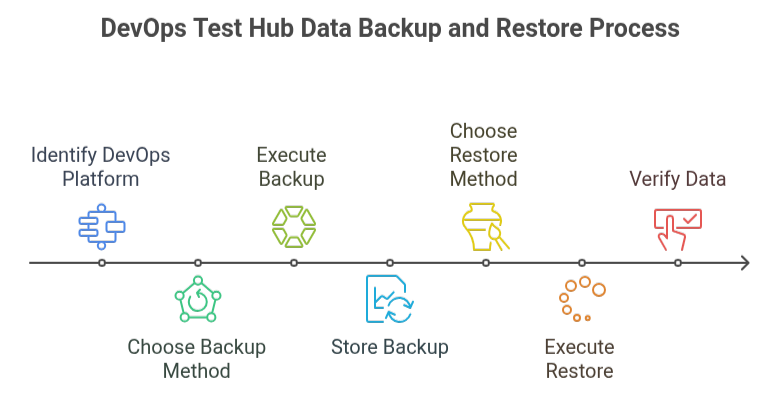
Backing up DevOps Test Hub Data
- Extract the base package
helm pull --untar hclsoftware/hcl-onetest-base --version 13.1054.0

cd hcl-onetest-base
- Create PVC metadata directory
sudo ./backup.sh create-pvc-links
- Use -v <path> to specify a custom directory.
- Ensure the directory is empty or does not exist.
- Stop the cluster and Test Hub
k3s-killall.sh - Create the backup file
sudo ./backup.sh create [options] <backup-file-name>
- -n <namespace> – Backup a specific namespace.
- -v <path> – Specify volume directory.
Example:
sudo ./backup.sh create --namespace devops-system my-backup.tar.gz- Restart the cluster
sudo systemctl start k3s
Result: Backup is saved as a compressed .tar.gz archive.
Restoring DevOps Test Hub Data
Steps:
Extract the base package
helm pull --untar hclsoftware/hcl-onetest-base --version 13.1054.0

cd hcl-onetest-base- Create PVC metadata directory (if not already created)
sudo ./backup.sh create-pvc-links
- Use -v <path> to specify a custom directory.
- Stop the cluster and Test Hub
k3s-killall.sh - Restore from backup
sudo ./backup.sh restore [options] <backup-file-name>
- -n <namespace> – Restore a specific namespace or map namespaces.
- -r <release> – Restore to a different Helm release.
- -k – Skip confirmation.
Example:
sudo ./backup.sh restore --namespace test-system:devops-system -r rel-1:rel-2 -k my-backup.tar.gz- Restart and verify
sudo systemctl start k3s

kubectl get pods -A
Wait until all pods are in Running state.Result: Test Hub data is restored and available for use.
[Need assistance with a different issue? Our team is available 24/7.]
Conclusion
Effective backup and restoration of DevOps Test Hub data on Ubuntu ensures data security, reduces downtime, and supports reliable recovery during migrations or unexpected failures. Following these steps helps you safeguard your Persistent Volumes and keep your DevOps environment stable.
In brief, our Support Experts demonstrated how to fix the “554 5.7.1 : Relay access denied” error.

