


Managed kubernetes & containers services for Falcon Sensor upgrades on AKS using Helm and ACR.
Keeping the Falcon Sensor updated helps maintain sensor coverage across your Azure Kubernetes Service (AKS) cluster. This guide shows the steps to upgrade the Falcon Sensor from:
7.19.0-17219-1.falcon-linux.Release.US-2
to:
7.30.0-18306-1.falcon-linux.Release.US-2
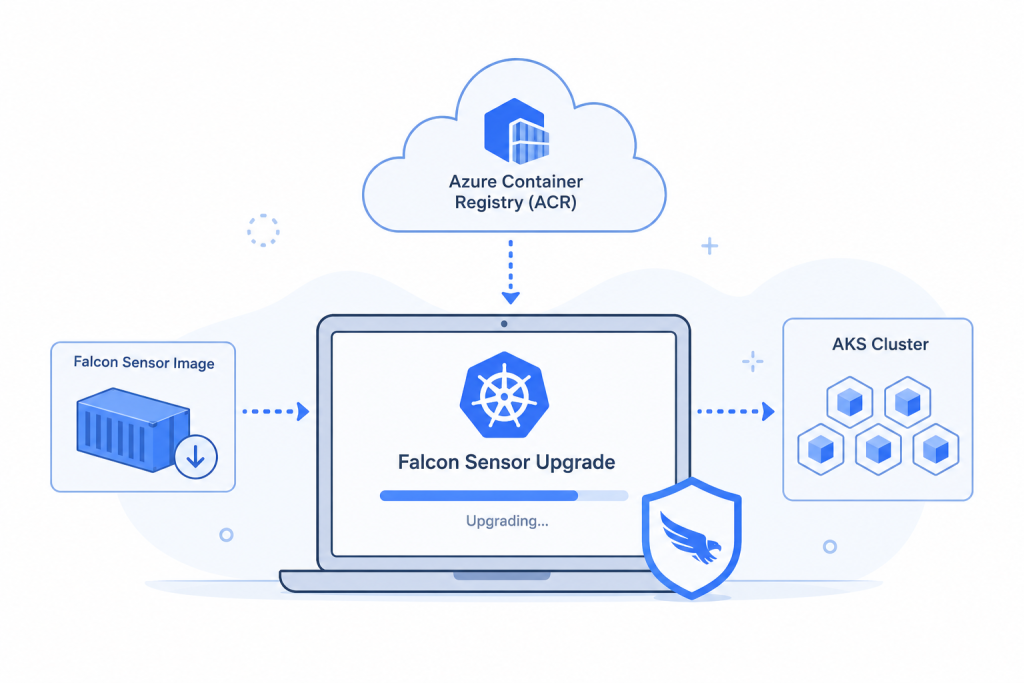
The process covers the sensor EOL check, image pull, ACR push, Helm setup, and AKS upgrade.
Check the Falcon Sensor EOL
Before starting the upgrade, check the Falcon Sensor EOL and release details in the official CrowdStrike Sensor Release Matrix for Linux.
Once you confirm the target version, continue with the upgrade.
Review the CrowdStrike Helm Guide
Next, review the official CrowdStrike Helm upgrade guide before changing the sensor deployment.
CrowdStrike Helm Upgrade Guide
Secure Your AKS Cluster Today.

Download the Falcon Container Sensor Script
First, download the Falcon Container Sensor Pull Script.
Invoke-WebRequest -Uri “https://raw.githubusercontent.com/CrowdStrike/falcon-scripts/main/bash/containers/falcon-container-sensor-pull/falcon-container-sensor-pull.sh” -OutFile “falcon-container-sensor-pull.sh”
This script is used to pull the Falcon Sensor image and push it to the ACR repository.
Set the Required Variables
Next, set the Falcon and ACR details:
export FALCON_CLIENT_ID=""
export FALCON_CLIENT_SECRET=""
export FALCON_CID=""
export FALCON_IMAGE_REPO="/falcon-sensor"
export FALCON_IMAGE_TAG="7.30.0-18306-1.falcon-linux.Release.US-2"
export DOCKER_USERNAME=""
export DOCKER_PASSWORD=""
export DOCKER_SERVER=""
These variables provide the credentials, target repository, and sensor version needed for the image transfer.
Pull the Sensor Image to ACR
Now run the Falcon Container Sensor Pull Script:
./falcon-container-sensor-pull.sh --client-id ${FALCON_CLIENT_ID} \
  --client-secret ${FALCON_CLIENT_SECRET} \
  --type falcon-sensor -c $FALCON_IMAGE_REPO
After the command finishes, the Falcon Sensor image will be pushed to the ACR repository.
Create the Image Pull Token
The Helm deployment needs an image pull token to access the ACR repository.
First, create the Docker token:
export DOCKER_TOKEN=$(echo -n "$DOCKER_USERNAME:$DOCKER_PASSWORD" | base64 -w 0)
Then create the Falcon image pull token:
export FALCON_IMAGE_PULL_TOKEN=$(echo "{\"auths\": { \"$DOCKER_SERVER\": { \"auth\": \"$DOCKER_TOKEN\" } } }" | base64 -w 0)
Add the CrowdStrike Helm Repository
Next, add the CrowdStrike Helm repository and update it:
helm repo add crowdstrike https://crowdstrike.github.io/falcon-helm
helm repo update
helm repo list
helm search repo crowdstrike
Then set the Falcon Sensor Helm repository:
export FALCON_SENSOR_REPO="crowdstrike/falcon-sensor"
Also, set the ACR image repository:
export FALCON_IMAGE_REPO="<ACR URL>/falcon-sensor"
Upgrade the Falcon Sensor on AKS
Finally, run the Helm upgrade command:
helm upgrade --install falcon-sensor $FALCON_SENSOR_REPO -n falcon-system \
  --set falcon.cid=$FALCON_CID \
  --set node.image.repository=$FALCON_IMAGE_REPO \
  --set node.image.tag=$FALCON_IMAGE_TAG \
  --set node.image.registryConfigJSON=$FALCON_IMAGE_PULL_TOKEN \
  --set node.enabled=true \
  --set container.enabled=false
This upgrades or installs the Falcon Sensor in the falcon-system namespace.
Verify the Falcon Sensor Upgrade
After the upgrade, check the Falcon Sensor pods:
kubectl get pods -n falcon-system
Then check the DaemonSet:
kubectl describe daemonset falcon-sensor -n falcon-system
These commands help confirm the Falcon Sensor deployment after the upgrade.
Conclusion
The Falcon Sensor upgrade on AKS is complete after the new sensor image is pushed to ACR and the Helm deployment is updated.
The process is straightforward: check the sensor version, prepare the image, push it to ACR, configure Helm, upgrade the sensor, and verify the deployment.

