


Suppose setting up one new server by hand takes you about forty minutes. That’s tolerable. But if someone asks for twelve by Friday, you’re looking at eight hours of typing the same commands over and over, and by server seven you will have skipped something without realizing it. I’m fairly sure of that.
Ansible is built for exactly this situation: a job that’s easy once and miserable the twelfth time. Ansible can simplify many recurring tasks involved in Server Management Services, from configuring servers and managing users to applying updates consistently across multiple systems.
What Ansible actually is
Ansible is a free automation tool. You describe how a server should end up, and Ansible works to make the real machines match that description. Honestly, that’s the core of it, and the rest is detail.
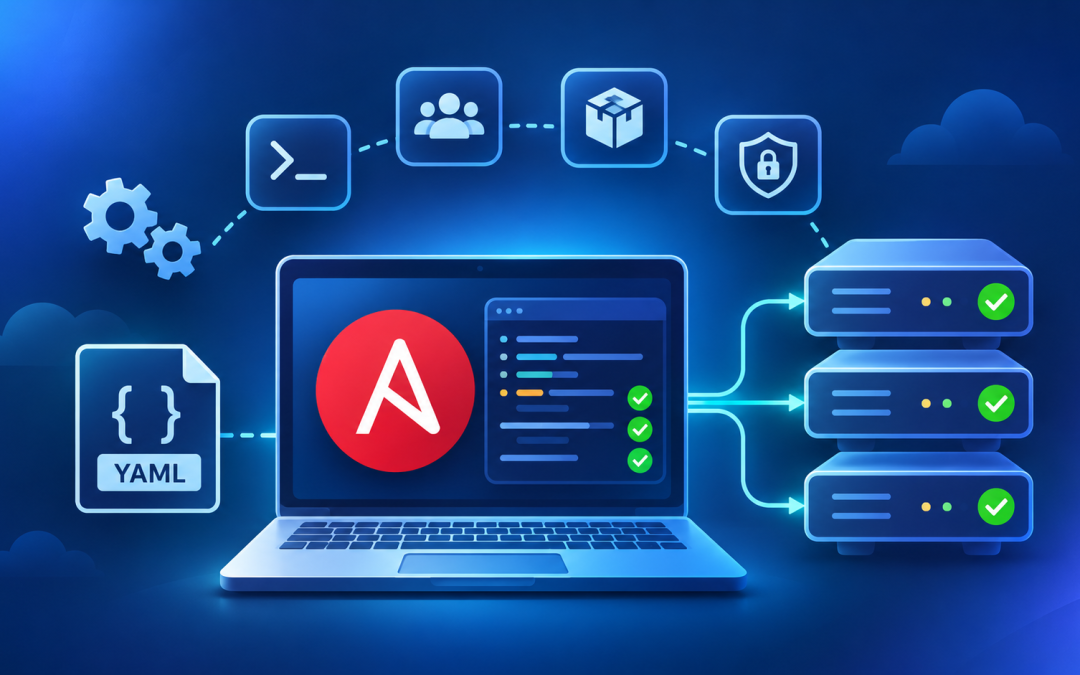
One detail is worth knowing early. You don’t install anything on the servers you manage. Ansible runs from a single computer, connects to the others over SSH, does the work and disconnects. There’s no agent to maintain and no background service to patch down the line. If you can already SSH into a machine, you’ve done most of the setup.
Say what you want, not how to get there
This is what confuses newcomers. A shell script is a list of actions: run this, then that, then the next thing. An Ansible playbook reads more like a list of statements about the end state. A package is installed. A user exists. A file contains certain text. Before changing anything, Ansible looks at whether the statement is already true, and if it is, it leaves that part alone.
The payoff is that you can run the same job twice without worrying. If the network dropped halfway through, start it again. If you can’t remember whether a teammate already did part of the work, run it anyway. The official term is idempotency, which is a clumsy word for something very practical: it’s safe to repeat.
The vocabulary, in five terms
There isn’t much jargon, and you’ll absorb most of it just by using the tool.
The inventory is your list of servers, and you can sort them into groups such as “web” or “database”. A module is a small built-in helper that knows how to do one type of job, like handling packages or user accounts. A task is a single request made to a single module. A playbook puts tasks in order and states which servers they apply to. A role is a chunk of playbook work bundled up so you can drop it into other projects.
Playbooks are written in YAML, which relies on indentation rather than brackets. It seems pleasant right up until two stray spaces produce an error pointing at the wrong line. Nearly everyone gets caught by this at least once. An editor that displays whitespace makes it happen less often.
What happens when you hit enter
Knowing what runs behind the scenes makes the output far easier to read.
Ansible starts by reading the inventory and deciding which servers the playbook targets. Then it connects to them. It doesn’t work through the list one at a time. By default it handles around five machines at once, and you can raise that if your fleet is large and your network is quick.
Next is fact gathering. Each server is asked to describe itself: its operating system and version, how much memory it has, its network addresses and so on. You can use those facts later in the playbook. If one task should only run on Ubuntu and another only on Red Hat, that’s how Ansible tells them apart.
After that, the real work begins. Ansible runs the first task on every target, waits until all of them finish, and only then starts the second. You get a neat report for each task, with every server marked changed, unchanged or failed.
If a server fails, Ansible removes it from the rest of the run and carries on with the others. The summary at the end names the machine that stumbled and the task where it happened. That’s handy when you’re updating twenty servers and one has a full disk. You fix that one, run the playbook again, and the other nineteen simply report that there’s nothing to do.
A first project that’s realistic
Keep it modest. Borrow a couple of spare virtual machines, or rent cheap cloud ones for an evening, and treat them as your playground. Don’t learn on production, however sure of yourself you feel.
Install Ansible on your own computer and set up SSH keys, so you can reach the practice machines without typing a password every time. Then write a plain text inventory listing their addresses. Run Ansible’s ping check before anything else. It tells you straight away if a username is wrong or Python is missing on a target, and that’s where most beginner problems turn up, rather than in Ansible itself.
Once the ping works, try one small thing from the command line, such as asking every machine how much disk space it has left. It feels almost too simple, and that’s fine.
Now write a first playbook and keep it tiny. Three tasks are plenty: install a package you’d want on every server, create an admin account, and change one security setting. Run it and watch each task come back as changed or already fine. Then run it again. Nothing should change this time. That quiet second run is usually when people finally understand what Ansible is for.
Features that help as you grow
As your playbooks get bigger, you’ll start using a few extras. Variables let you set something once, a username or a port, and reuse it everywhere. Handlers are tasks that only fire when something changes, which suits restarting a service after a config edit and skipping the restart when nothing moved. Templates produce a config file that differs slightly for each server. Vault encrypts passwords and keys so they can live beside your playbooks without being visible.
You don’t need any of these on day one. Pick them up when you feel the problem they solve.
Keeping a growing project tidy
Almost every Ansible project begins as one file and, left alone, turns into one huge file. A bit of structure early on saves a lot of trouble later.
A common layout is simple. Everything sits in one folder, which contains your inventory, a folder for values tied to groups of servers, a folder of roles, and several playbooks that each do one clear thing. One builds a web server, another handles monthly updates, a third creates a new user. If a playbook’s name says what it does, nobody has to open it to find out.
If you run both a test and a live environment, give each its own inventory. The same playbook can then go to staging on Tuesday and production on Thursday, and the only difference is which server list you aim it at. It also makes touching production by accident much less likely.
Two more features are worth learning soon. Conditions make a task run only when something is true, for instance, only on Debian-based systems. Loops repeat a task over a list, so creating ten user accounts takes one task rather than ten. Both keep playbooks short, and a short playbook is easier to trust.
Habits worth building early
Do a dry run first. Ansible can preview what it would change without changing anything, and that preview has spared plenty of people a rotten afternoon. Keep your playbooks in Git so there’s a record of who changed what and why. Choose the dedicated module over a raw shell command whenever one exists, because a raw command has no idea what state the server is in. And name your tasks as if you’re writing for whoever reads the log at 3 a.m., since that could well be you.
Secrets, permissions and some caution
Automation is powerful, so it needs a little care. One playbook can change hundreds of machines, which means you should think about who is allowed to run it and what it can reach.
Use a dedicated account for Ansible rather than somebody’s personal login, and give it only the access it needs. Ansible can ask for administrator rights on individual tasks, so there’s no reason to run everything as the most powerful user. Keep private SSH keys out of shared folders and out of Git.
Passwords, tokens and API keys belong in an encrypted vault, not a plain text file. Anyone who can open the folder can read a plain file, and version control remembers everything, even after you delete it.
One last warning. Ansible Galaxy holds a huge library of roles written by other people. They can save you days, but they run with whatever access you hand them. Read a role before using it, the same way you’d read a script that arrived by email.
Where it fits and where it doesn’t
Ansible does well at configuring machines, rolling out updates, deploying applications and keeping a group of servers consistent. It’s a poor choice for anything that has to react within seconds, such as live monitoring. It also can’t protect you from your own errors. If your playbook tells it to delete the wrong folder, it will do so on all twelve servers at once without complaint. Test first.
How it compares with other tools
Most people start with plain shell scripts, and for one quick job that’s perfectly reasonable. Problems appear when the script must be run again, used on a different distribution or passed to a colleague. Scripts don’t check what state a server is in, so they tend to repeat work or fall over halfway.
Puppet and Chef tackle the same configuration problem, but they generally need a program running on every managed machine, and each has its own language to learn. They suit very large, long-lived environments. Ansible’s lighter setup makes it an easier starting point, and many teams never feel the need to switch.
Terraform gets mentioned alongside Ansible a lot, but it does a different job. Terraform creates the infrastructure itself, such as cloud virtual machines and networks. Ansible then configures what runs on them. Plenty of teams use both, one to build the servers and the other to set them up.
Mistakes nearly everyone makes
You’ll probably make a few of these, and that’s okay. Knowing about them beforehand just shortens the annoyance.
Indentation errors come first. YAML cares about spaces, and one misplaced line gives you confusing messages. Then there’s forgetting to request administrator rights, which produces a “permission denied” on a task that looks completely correct. Another is running a playbook against “all” servers when you meant a single group. Check the target before you press enter, and use dry-run mode if you’re unsure.
A classic is leaning on shell commands for everything because they feel familiar. They work, but you lose the safe-to-repeat quality that makes Ansible worth using. The last one is building a single giant playbook that does it all. Split it up early and you’ll be glad within a month.
Start small
Choose one chore you’re tired of repeating. Write it as a short playbook, run it on a practice machine, and run it again. If it behaves, try it on two real servers. That really is all it takes to begin, and the rest of Ansible gets easier once you’ve watched one job run itself.
Conclusion
Ansible makes server automation easier by letting you describe the desired state of your systems through playbooks. Its agentless approach, reusable tasks, and idempotent behavior make it useful for configuring servers, applying updates, managing users, and keeping multiple machines consistent. Starting with a small repetitive task is a practical way to learn Ansible before applying it to larger environments. Ansible is built for exactly this situation: a job that’s easy once and miserable the twelfth time. Ansible can simplify many recurring tasks involved in Server Management Services, from configuring servers and managing users to applying updates consistently across multiple systems.