


Improve application scalability and performance after launch with our Performance Optimization & Monitoring services.
Growth is every product team’s goal.
More users, more engagement, and more revenue.
But what happens when success becomes the reason your application starts failing?
This is a common situation. Everything works well in the early stages, traffic keeps increasing, and then slowdowns, crashes, unhappy users, and urgent late-night fixes begin.
If your app struggles as more users join, you’re not alone. Let’s look at why this happens and how you can improve scalability after launch without rebuilding your application from the ground up.
An Overview
When Growth Becomes a Challenge
At the beginning, your infrastructure handles traffic without any trouble. A few hundred users? No worries.
As your user base grows, your application begins to face more pressure. Traffic spikes during peak hours, APIs start timing out, pages load slowly, database queries take longer to complete, and servers struggle to handle incoming requests.
So, what changed?
Your growing user base exposed the limits of the original architecture.
Most applications are built with an intention to launch quickly, and yes, it is not expected to support rapid growth from day one. This approach might work easily; however, for prolonged success, the system needs to grow with the business.
Common Scalability Challenges After Launch
1. Infrastructure Cannot Handle Higher Traffic
Many applications start with a single server or a basic setup tailored for lower traffic. So, one bottleneck affects the entire application.
2. Database Performance Starts Dropping
As data increases, queries take time to fix, database locks become more frequent, and connection limits are reached. This results in even simple tasks slowing down or stopping.
Keep your app performing at its best.

3. Code That No Longer Performs Well
Even though a code works for 100 users, there is no guarantee it must work for 10,000 users. This might be because of unoptimized loops, repeated API requests, and limited caching. Therefore, CPU and memory usage increase, reducing overall performance.
4. Traffic Goes to a Single Server
Without load balancing, every request is sent to the same server. If that server becomes overloaded or stops working, there is no backup to handle the traffic. As a result, a single failure can bring down the entire application.
5. Problems Go Unnoticed
Many teams usually notice the performance issue only after users report it. Consequently, teams tend to spend time fixing emergencies instead of preventing them.
Why Teams Often Delay Scalability Planning
During the initial stages of development, the primary concern of the team is to release the product quickly, evaluate the business idea, keep the cost comparatively low, amnd implementing a simple architecture. Therefore, scalability becomes the team’s least priority unless user growth exposes performance issues.
How to Improve Scalability After Launch
The good news is that you do not have to rebuild your application. Instead, start improving from one end at a time.
Step 1: Find the Bottlenecks
Before putting your hands on the changes, identify where the problem exists. Here is the checklist:
- Which endpoints respond slowly?
- Where do CPU and memory usage increase?
- Which database queries fail or take too long?
Useful tools include Application Performance Monitoring (APM), Server monitoring dashboards, and log analysis tools.
Step 2: Add Load Balancing
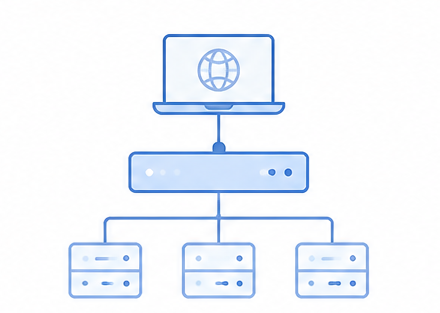
Distribute incoming traffic across multiple servers instead of relying on a single server. Load balancing improves uptime, maintains performance during peak traffic, and reduces the risk of downtime if one server becomes unavailable.
Step 3: Improve Database Performance
Database tuning often delivers the biggest improvement. It focuses on query optimization, Indexing, read replicas, and connection pooling.
Step 4: Use Caching
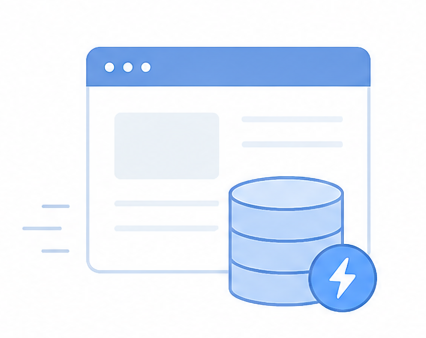
Use caching to store frequently accessed data, such as API responses, database query results, and static files. This reduces server load and helps your application respond faster.
Step 5: Move to Infrastructure That Can Grow
Replace fixed server setups with infrastructure that scales as demand grows. Auto-scaling cloud instances, container-based deployments, and managed cloud services help your application support more users without affecting performance or causing service disruptions.
Step 6: Use Background Processing
Not all tasks need to be fixed on time. Run activities like generating reports, notifying people about new emails, and other non-user-initiated tasks concurrently with user requests. This mitigates the load on your application and makes users react faster to your application.
Step 7: Monitor Performance Continuously
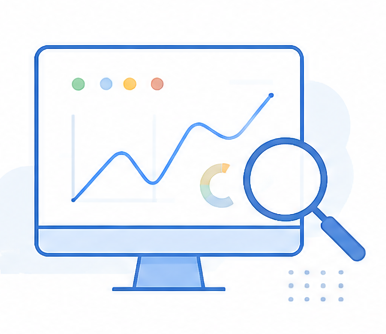
Don’t wait for users to report the problem; instead, regularly check the performance of your application. Keep an eye on important performance indicators like response time, error rates, and CPU and memory utilization. Furthermore, configure notifications for your staff to be able to detect and resolve issues in advance of impact to users or downtime.
A Common Example
Many applications:
- Perform well with 1,000 users
- Slow down at around 10,000 users
- Begin failing at 50,000 users
After adding:
- Load balancing
- Database optimization
- Caching
- Auto scaling
These applications often support 2 to 5 times more traffic while maintaining stable performance.
Conclusion
If the user count increases, it is definitely a good sign; to keep the graph growing, your application should grow with it. If your application doesn’t cope with the increasing traffic, this indicates that the current setup has reached its limit. Therefore, the scalability should be improved to keep your application fast, stable, and reliable for the new users.

