


Resolve PHP 5.3 XML errors caused by libxml2 updates. Step-by-step fix and prevention guide from our expert Apache support team.
Fixing PHP 5.3 XML Module Errors After libxml2 Update in cPanel / EasyApache 4
After a routine update, PHP 5.3 may trigger XML module errors due to a library mismatch. This article covers the root cause, the recovery steps, and how to prevent the issue from recurring in legacy environments.
PHP 5.3 XML Module Errors After Update
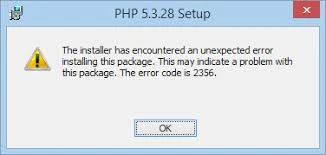
After a routine update, running:
/opt/cpanel/ea-php53/root/usr/bin/php -mtriggered XML-related errors. As a result, modules like dom, xmlreader, and xsl failed to load due to undefined libxml2 symbols.
Root Cause
The update upgraded libxml2.so.2 to a newer version. However, PHP 5.3 was compiled against an older libxml2 build. Consequently, the required LIBXML2_2.4.30 symbols were missing.
- Working server- libxml2.so.2.13.8
- Broken server- libxml2.so.2.15.1
In short, a library version mismatch caused the runtime failure.
Solution Part 1: Restore Compatible Library
First, copy the working library version from the healthy server:
cp /opt/cpanel/ea-libxml2/lib64/libxml2.so.2.13.8 /tmp/

scp libxml2.so.2.13.8 user@broken-server:/opt/cpanel/ea-libxml2/lib64/
Next, replace the broken symlink and set correct permissions:
cd /opt/cpanel/ea-libxml2/lib64/

mv libxml2.so.2 libxml2.so.2.broken

ln -s libxml2.so.2.13.8 libxml2.so.2

chmod 755 libxml2.so.2.13.8

chown root:root libxml2.so.2.13.8
Then, verify required symbols:
strings libxml2.so.2 | grep LIBXML2_Finally, restart Apache or PHP-FPM to reload shared libraries.
Secure Your PHP Environment

Solution Part 2: Lock the Package Version
To prevent recurrence, lock the library version:
yum versionlock ea-libxml2This ensures ea-libxml2 does not upgrade during future updates.
Confirm the lock using:
yum versionlock listHandling Extension Installs with Version Lock
When ea-libxml2 is locked, new PHP extension installs may fail due to dependency conflicts. Therefore, remove the lock temporarily before proceeding.
yum versionlock delete ea-libxml2Next, install the required extension using EasyApache 4 or CLI:
yum install ea-php71-php-mcryptIf the update replaces the older libxml2, restore the compatible .so file. Then immediately reapply the lock:
yum versionlock ea-libxml2Confirm with:
yum versionlock listOperational Notes
- Locking skips future library updates; use it only for legacy PHP environments.
- Keep a backup of the working libxml2 build for quick recovery.
- Automate restoration through deployment scripts where possible.
- Limit changes to EasyApache paths to avoid system-wide impact.
[Need assistance with a different issue? Our team is available 24/7.]
Conclusion
PHP 5.3 depends on older libxml2 builds, and even minor updates can break XML extensions. Restoring the correct library and locking its version protects runtime stability.
Running legacy PHP on cPanel or EasyApache 4? Get expert server management support to secure and maintain your environment properly.

