


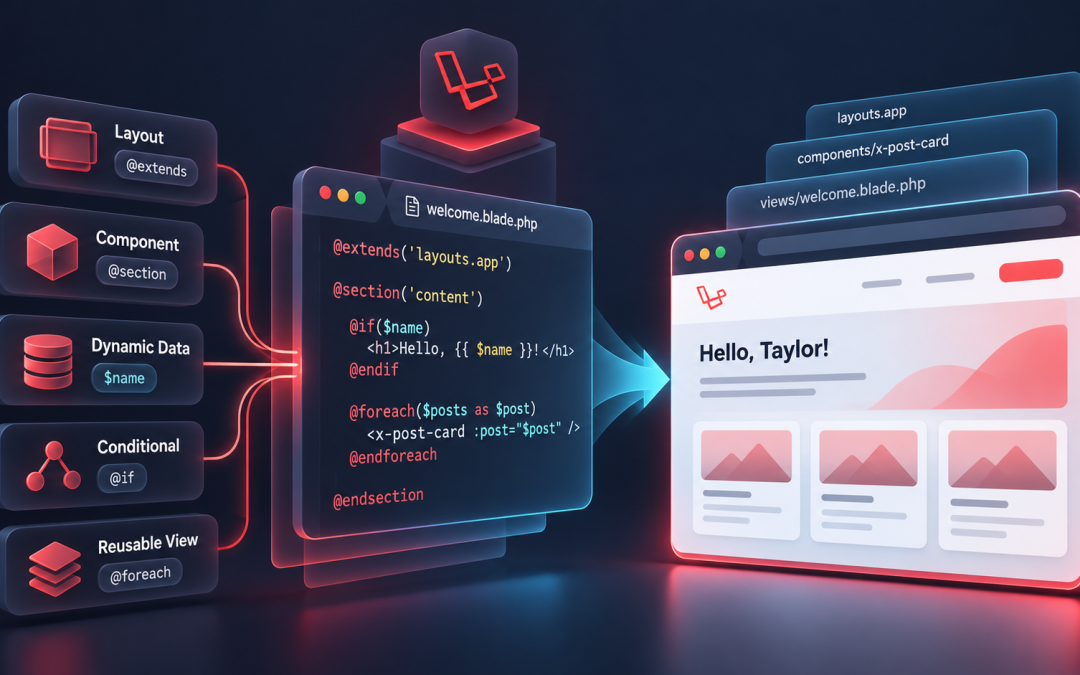
Laravel is a popular PHP framework for building modern web applications. One reason developers like working with Laravel is its templating engine, Blade. Blade makes it easier to create reusable and maintainable user interfaces without filling application code with repetitive markup.
Understanding Blade is an important step for developers who want to build cleaner Laravel applications and improve their frontend development workflow. If you’re building a Laravel application, our Laravel Development Services can help support the development and maintenance of your application as it grows.
What Is Laravel Blade?
Laravel Blade is Laravel’s built-in templating engine for creating dynamic HTML views. It combines the power of PHP with a simple syntax and directives that make templates easier to write and maintain.
Blade does not prevent you from using native PHP code. Instead, it provides a cleaner way to work with conditions, loops, layouts, and reusable components. Blade templates are compiled into PHP code behind the scenes.
Blade template files use the .blade.php extension and are typically stored in the resources/views directory.
Why Use Blade?
Blade provides several features that make Laravel view development easier.
Cleaner Syntax
Blade replaces traditional PHP control structures with simple directives. This makes templates easier to read and maintain.
Instead of writing:
<?php if($user): ?>

<h1>Welcome</h1>

<?php endif; ?>
You can write:
@if($user)

<h1>Welcome</h1>

@endif
The Blade version is easier to scan and keeps presentation logic cleaner.
Layout Reusability
Most websites share elements such as headers, footers, navigation menus, and sidebars. Blade layouts allow developers to define these common elements once and reuse them across multiple pages.
Better Code Organization
Blade helps separate presentation logic from the rest of the application. Keeping business logic in controllers or service classes while using Blade for presentation makes Laravel projects easier to maintain.
Performance
Blade templates are compiled into PHP and cached, so using Blade doesn’t add unnecessary template-processing overhead on every request.
Creating Your First Blade View
Let’s create a simple Blade template.
Create a file named:
resources/views/welcome.blade.php
Add the following content:
<!DOCTYPE html>

<html>
<head>
    <title>Laravel Blade Example</title>
</head>

<body>
    <h1>Welcome to Laravel Blade</h1>
</body>
</html>
To display this view from a route:
Route::get('/', function () {
    return view('welcome');
});
When you visit the application, Laravel renders the Blade template and sends the generated HTML to the browser.
Displaying Dynamic Data
Blade makes it easy to display variables passed from controllers or routes.
For example:
Route::get('/user', function () {
    return view('user', [
        'name' => 'John Doe'
    ]);
});
The Blade template can display the value like this:
<h1>Hello {{ $name }}</h1>
The output will be:
Hello, John Doe
Blade’s double curly brace syntax automatically escapes output. This helps protect applications from Cross-Site Scripting (XSS) when displaying user-controlled content.
Using Conditional Statements
Blade provides directives for conditional rendering.
If Statement
@if($isAdmin)

<p>Administrator Access</p>

@endif
If Else Statement
@if($age >= 18)

<p>Adult</p>

@else

<p>Minor</p>

@endif
Multiple Conditions
@if($score >= 90)

<p>Excellent</p>

@elseif($score >= 75)

<p>Good</p>

@else

<p>Needs Improvement</p>

@endif
These directives make conditional rendering easier to read than equivalent PHP control structures.
Working With Loops
Blade simplifies iteration through arrays and collections.
Foreach Loop
<ul>

@foreach($users as $user)

<li>{{ $user->name }}</li>

@endforeach

</ul>
For Loop
@for($i = 1; $i <= 5; $i++)

<p>Item {{ $i }}</p>

@endfor
While Loop
@while($count > 0)

<p>{{ $count }}</p>

@php
    $count--;
@endphp

@endwhile
Blade’s loop directives allow developers to keep repetitive view logic concise and readable.
Creating Layouts With Blade
One of Blade’s useful features is layout inheritance. It allows developers to create a common page structure and define areas that individual views can fill.
Step 1: Create a Master Layout
Create:
resources/views/layouts/app.blade.php
Then add:
<!DOCTYPE html>

<html>
<head>
    <title>@yield('title')</title>
</head>

<body>

<header>
    <h1>My Website</h1>
</header>

<main>
    @yield('content')
</main>

<footer>
    Copyright 2026
</footer>

</body>
</html>
Step 2: Extend the Layout
A page can extend this layout and provide its own content:
@extends('layouts.app')

@section('title', 'Home Page')

@section('content')

<h2>Welcome to the Homepage</h2>

@endsection
This approach lets you manage common UI elements from a single location instead of repeating them across individual views.
Including Reusable Sections
Blade also allows developers to split templates into reusable files.
For example:
@include('partials.header')
This approach can be useful for sections such as:
- Navigation bars
- Footers
- Sidebars
- Notification sections
- Widgets
Reusable partials help keep templates modular and easier to maintain.
Blade Components
Laravel also supports Blade Components, which are useful for creating reusable UI elements.
For example:
<x-alert type="success">
    Profile updated successfully.
</x-alert>
Components can be useful for elements such as:
- Buttons
- Cards
- Modals
- Alerts
- Form elements
They help maintain consistent UI patterns and reduce repeated markup across an application.
Displaying Unescaped HTML
Blade escapes output by default. In some situations, you may need to render HTML content without escaping it:
{!! $content !!}
This should be used carefully. Only render trusted HTML or properly sanitized content, since unescaped user input can introduce security vulnerabilities.
Common Blade Directives
| Directive | Purpose |
|---|---|
| @if | Conditional statements |
| @foreach | Loop through collections |
| @for | Standard loops |
| @while | While loops |
| @extends | Extend layouts |
| @section | Define content sections |
| @yield | Display sections |
| @include | Include partial views |
| @csrf | Generate a CSRF token |
| @auth | Check authenticated users |
| @guest | Check guest users |
Learning these directives can make Blade templates easier to write and maintain.
Best Practices for Using Blade
A few practices can help keep Blade templates organized:
- Keep business logic inside controllers or service classes.
- Use layouts to reduce duplicated markup.
- Create components for reusable UI elements.
- Organize views logically.
- Escape user-generated content.
- Avoid putting complex PHP logic directly inside templates.
Following these practices can make Laravel applications easier to maintain as they grow.
Conclusion
Laravel Blade provides a simple way to build dynamic and reusable views. Its clean syntax, layouts, components, and built-in directives help developers reduce repeated markup and keep presentation code organized.
Once you understand Blade’s core features, you can create Laravel views that are easier to maintain and extend as the application grows. If you’re building a Laravel application, our Laravel Development services can provide support as your application evolves and new requirements come up.