


Migrate PostgreSQL from GCP to Amazon RDS for better performance and data security. Our PostgreSQL Support team is ready to assist you.
How to Migrate PostgreSQL from Google Cloud Platform to Amazon RDS
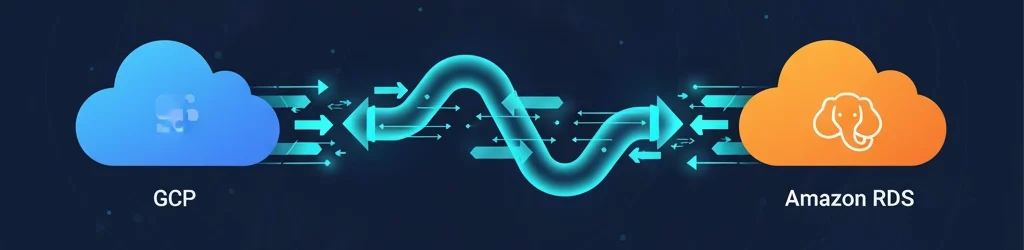
Migrating PostgreSQL from Google Cloud Platform to Amazon RDS helps improve performance, scalability, and data reliability. With proper planning and configuration, the process can be smooth and secure. Follow these steps to complete the migration effectively.
Step 1: Prepare the Source Database
Start by preparing your PostgreSQL database on Google Cloud for migration.
- Update all necessary configurations.
- Create a user account with replication privileges.
- Enable logical replication and make sure your database is accessible for migration.
While preparing the database, be aware of potential issues like PostgreSQL error code 1063, which can occur if replication settings are misconfigured.
These settings allow AWS Database Migration Service to read and transfer your data accurately.
Step 2: Export the Database Schema
Next, export only the schema structure from your source PostgreSQL database. Use the pg dump command to create a schema file and then import it into your Amazon RDS instance. This ensures the target environment is ready before data transfer begins.
Upgrade to Amazon RDS for better performance

Step 3: Configure AWS DMS
Set up AWS Database Migration Service to handle the migration.
- Create a replication instance.
- Add both source and target endpoints.
- Define migration tasks for data transfer.
Store your database credentials securely using AWS Secrets Manager. Also, use SSL certificates to protect your connection during migration.
If you encounter a missing function or type during setup, it could trigger PostgreSQL error 42883, which requires checking your database schema compatibility.
Step 4: Run the Migration Tasks
Once the setup is complete, start the migration tasks. Choose the option to move existing data and replicate ongoing changes. This approach reduces downtime and keeps both databases synchronized until the final switch.
Step 5: Monitor the Process
Keep track of your migration progress through the AWS DMS console. Check the status of data loads, latency levels, and task performance. Monitoring ensures the transfer remains stable and helps detect any issues early.
Step 6: Switch to Amazon RDS
When synchronization is complete, point your applications to Amazon RDS. Run maintenance commands such as vacuum and analyze to optimize performance. After verifying data integrity, your migration will be complete and ready for production use.
[Need assistance with a different issue? Our team is available 24/7.]
Conclusion
Following this process to migrate PostgreSQL from GCP to Amazon RDS ensures a reliable and secure transition. With AWS DMS, you can move data efficiently while keeping your applications online and your data protected.

