


Optimize AWS S3 costs with AWS managed services. Choose the right storage class, automate lifecycle policies, and reduce unnecessary storage spend.
Many teams store active and rarely accessed data in S3 Standard because it is simple to manage. However, this approach can increase storage costs when large amounts of cold data remain in a frequently accessed class. AWS provides several S3 storage classes for different access patterns, retention periods, and retrieval requirements.
The challenge usually starts when teams do not review how often they access stored objects. As data grows, unused and rarely accessed objects can occupy a large part of a bucket. Without lifecycle policies or storage analysis, teams can continue paying for storage that does not match their actual usage.
The goal is not to move everything to the cheapest storage class. Instead, teams should match each workload to a class that balances storage cost, retrieval requirements, availability, and data resilience.
An Overview
AWS S3 Storage Classes: Tradeoffs and Use Cases
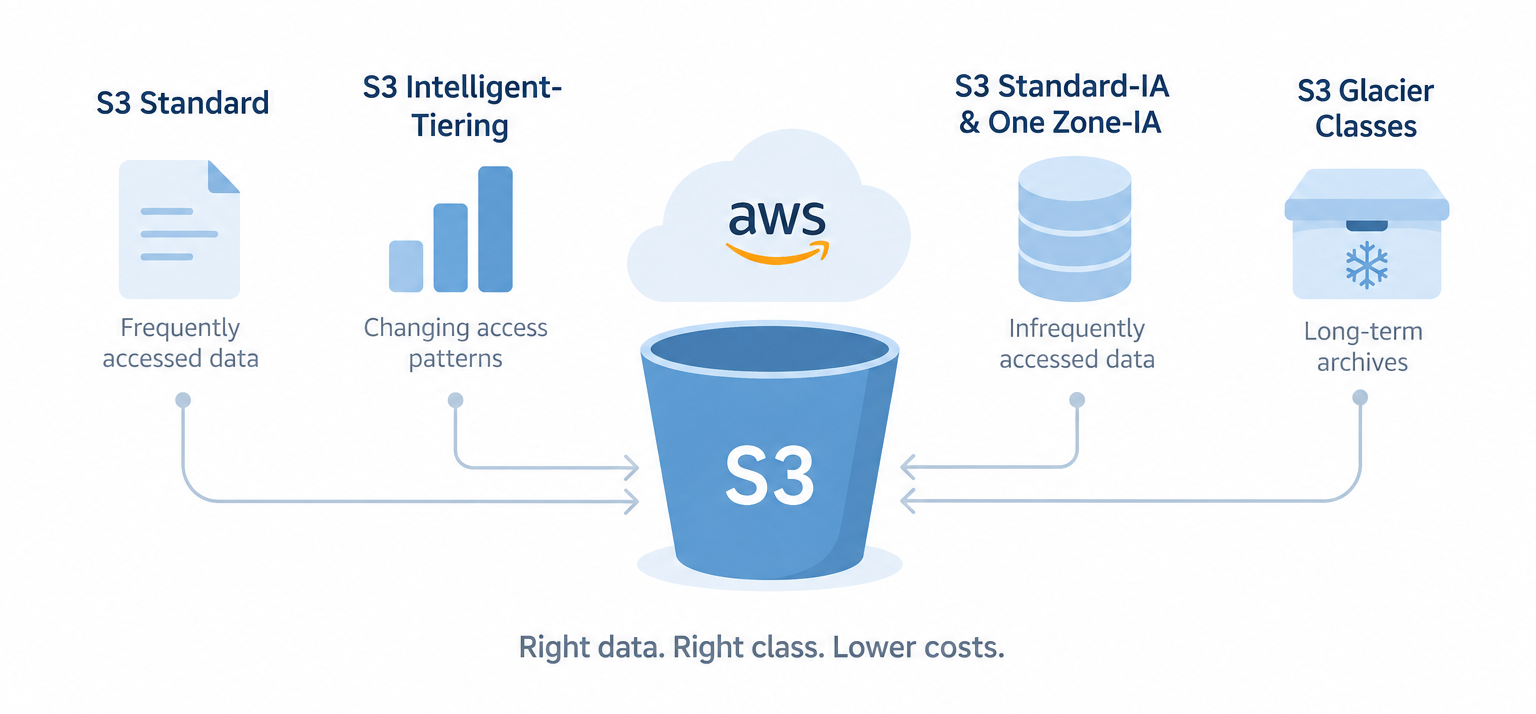
Amazon S3 offers storage classes for frequently accessed data, changing access patterns, infrequently accessed data, and long-term archives. Each class has different pricing and retrieval characteristics.
S3 Standard
S3 Standard is designed for frequently accessed data that requires millisecond access. It stores data across multiple Availability Zones and provides high availability and durability.
Use S3 Standard for active application data, frequently accessed website content, data lakes, and workloads that require regular access.
S3 Standard does not have a minimum storage duration or minimum billable object size. It also does not charge a separate data retrieval fee.
S3 Intelligent Tiering
S3 Intelligent Tiering is designed for data with unknown, changing, or unpredictable access patterns. Amazon S3 monitors eligible objects and moves them between access tiers according to their usage.
The class has no minimum storage duration. However, objects smaller than 128 KB are not monitored for automatic tiering and remain in the Frequent Access tier.
Optimize Your AWS Storage Costs.

Teams can also activate the optional Archive Access and Deep Archive Access tiers. These tiers suit objects that can tolerate asynchronous retrieval. Archive Access starts after at least 90 consecutive days without access, while Deep Archive Access starts after at least 180 consecutive days without access.
Intelligent Tiering works well when teams want automated cost management without predicting exactly when applications might access their data.
S3 Standard Infrequent Access
S3 Standard IA suits long-lived data that teams access less frequently but still need to retrieve quickly.
It provides millisecond access and stores objects across multiple Availability Zones. However, AWS applies per GB retrieval charges and a 30-day minimum storage duration. Objects smaller than 128 KB also incur the minimum billable object size charge.
Standard IA works well for backups, disaster recovery data, and other data that remains important but receives limited access.
S3 One Zone Infrequent Access
S3 One Zone IA provides lower storage costs by storing data in a single Availability Zone. AWS recommends it for infrequently accessed, re-creatable data.
The class offers millisecond access, but it does not protect data against the physical loss of the Availability Zone. Therefore, teams should avoid using it for unique data or the only copy of critical business information.
S3 One Zone IA also has a 30-day minimum storage duration and a 128 KB minimum billable object size.
S3 Glacier Instant Retrieval
S3 Glacier Instant Retrieval suits long-term archive data that teams access roughly once per quarter but still need to retrieve with millisecond latency.
It provides the same millisecond access performance as S3 Standard IA while offering lower storage costs and higher access costs.
AWS applies a 90-day minimum storage duration and a 128 KB minimum billable object size. Therefore, teams should use this class when data remains stored for the long term and retrievals remain relatively infrequent.
S3 Glacier Flexible Retrieval
S3 Glacier Flexible Retrieval targets archive data that teams access roughly once or twice a year and do not need to retrieve immediately.
AWS provides several retrieval options. Standard retrieval typically takes 3 to 5 hours, while Bulk retrieval typically takes 5 to 12 hours. Expedited retrieval can provide access in 1 to 5 minutes when the workload requires it.
This class has a 90-day minimum storage duration. It fits long-term backups, disaster recovery archives, and other data where teams can accept minutes or hours of retrieval time.
S3 Glacier Deep Archive
S3 Glacier Deep Archive targets data that teams rarely access, often once a year or less. It provides the lowest storage cost among the S3 archival classes.
Standard retrieval typically completes within 12 hours, while Bulk retrieval can take up to 48 hours.
Deep Archive has a 180-day minimum storage duration. It fits compliance archives, digital preservation, and other data that requires long retention but rarely needs retrieval.
How to Choose the Right S3 Storage Class
The right class depends on access frequency, retrieval requirements, retention period, object size, and resilience requirements.
1. Analyze your access patterns
First, determine how often applications access your S3 objects.
Use Amazon S3 Storage Lens, S3 Storage Class Analysis, and S3 Inventory to identify frequently accessed and rarely accessed data. Also review object age, storage growth, lifecycle configurations, and incomplete multipart uploads.
This analysis gives your team a clearer view of which data requires frequent access and which data can move to lower-cost storage.
2. Match storage classes to access patterns
Next, map each workload to an appropriate storage class.
For example:
- Frequently accessed application data can remain in S3 Standard.
- Data with unpredictable access patterns can use S3 Intelligent Tiering.
- Long lived data that receives occasional access can use Standard IA.
- Re-creatable secondary data can use One Zone IA.
- Long-term archive data that requires immediate retrieval can use Glacier Instant Retrieval.
- Archive data that tolerates minutes or hours of retrieval can use Glacier Flexible Retrieval.
- Very rarely accessed long-term archives can use Glacier Deep Archive.
This approach prevents teams from choosing a storage class based only on its storage price.
3. Create lifecycle policies
After identifying access patterns, create S3 Lifecycle rules for predictable workloads.
For example, a backup workload could transition older objects from Standard to Standard IA and later to Glacier Flexible Retrieval. The exact timing should reflect the workload’s access pattern, retention policy, minimum storage duration, and retrieval requirements.
Lifecycle rules can also expire obsolete objects, remove old object versions, and clean up incomplete multipart uploads.
However, teams should review transition costs before applying rules across millions of objects. AWS also applies a default 128 KB minimum size for Lifecycle transitions in current configurations, although teams can customize this behavior for specific use cases.
4. Use Intelligent Tiering for unpredictable workloads
When access patterns change frequently, Intelligent Tiering can reduce the need for manually defined transition rules.
For example, a shared dataset might receive heavy access for several weeks and then remain unused for months. Intelligent Tiering can move eligible objects between access tiers as their access patterns change.
However, teams should review the monitoring and automation charges and understand the behavior of objects smaller than 128 KB before selecting this class.
5. Review small objects
Small objects can change the economics of storage transitions.
Standard IA, One Zone IA, and Glacier Instant Retrieval use a 128 KB minimum billable object size. Glacier Flexible Retrieval and Deep Archive also add metadata overhead for archived objects.
Therefore, workloads with very large numbers of small objects should evaluate transition costs before moving them into archival classes.
Where appropriate, teams can aggregate small files into larger objects before archiving them.
6. Monitor storage costs after migration
After applying lifecycle policies, review storage usage and AWS billing data regularly.
Check whether objects transition as expected and whether retrieval activity matches your assumptions. If a workload frequently retrieves data from an archive class, the storage savings may not justify the additional retrieval costs.
Therefore, teams should treat storage optimization as an ongoing process rather than a one-time configuration.
7. Use One Zone IA carefully
One Zone IA can reduce storage costs for suitable workloads because it stores data in a single Availability Zone.
However, the lower cost comes with lower resilience to the physical loss of that Availability Zone. Therefore, use it for re-creatable data, secondary copies, or workloads where the business can accept that risk.
Do not use it as the only copy of unique business data.
AWS Tools for S3 Cost Optimization
AWS provides several tools that can support S3 storage analysis:
S3 Storage Lens
S3 Storage Lens provides visibility into storage usage and activity across an organization. Teams can use its metrics to identify storage growth, object distribution, lifecycle opportunities, and other optimization areas.
S3 Storage Class Analysis
Storage Class Analysis helps teams evaluate access patterns and determine whether Standard IA could suit specific workloads.
S3 Inventory
S3 Inventory provides object-level information for large buckets. Teams can use the inventory output to analyze object age, size, storage class, and other metadata.
Amazon Athena
Teams can query S3 Inventory data with Amazon Athena to analyze large object collections without manually inspecting individual objects.
For example, teams can identify older objects, group data by storage class, and estimate which objects could qualify for a lifecycle transition.
Best Practices for S3 Storage Optimization
- Review access patterns before changing storage classes. Base storage decisions on actual usage rather than assumptions.
- Account for minimum storage durations. Standard IA and One Zone IA have 30-day minimums. Glacier Instant Retrieval and Glacier Flexible Retrieval have 90-day minimums, while Deep Archive has a 180-day minimum.
- Review retrieval costs. Lower storage prices can come with higher retrieval charges, so include expected retrieval activity in cost calculations.
- Watch object sizes. Small objects can create minimum size charges or additional metadata costs in some storage classes.
- Use lifecycle policies for predictable data. Automate transitions when access patterns follow a consistent timeline.
- Use Intelligent Tiering for changing access patterns. This reduces the need to predict future object usage.
- Clean up incomplete multipart uploads. Old incomplete uploads can continue to consume storage.
- Review storage regularly. Access patterns and application requirements can change over time.
- Protect critical data appropriately. Do not select a lower resilience class solely because it has a lower storage price.
- Include transition costs in planning. Moving large numbers of objects between storage classes can create request charges.
Real World Scenario
MediaCorp’s Photo Archive
Consider a fictional company called MediaCorp that stores a large collection of user photos and videos in Amazon S3.
Initially, MediaCorp stored all objects in S3 Standard. As the archive grew, the company noticed that a large portion of its storage contained older files that users rarely accessed.
The DevOps team analyzed the archive using S3 Storage Lens and object inventory data. The analysis showed that many objects had not been accessed for several months.
The team then created a lifecycle strategy based on the observed access patterns. Frequently accessed content remained in an active storage class, while older content moved to lower-cost storage classes.
The team also reviewed retrieval requirements before moving archival content into Glacier storage classes. As a result, MediaCorp reduced unnecessary storage costs while keeping frequently accessed content readily available.
The example shows why teams should analyze access patterns before choosing storage classes. A lower storage price alone does not guarantee lower overall costs.
Conclusion
S3 cost optimization starts with one basic principle: match storage to how your applications use the data.
S3 Standard suits frequently accessed data, while Intelligent Tiering works well for changing access patterns. Standard IA and One Zone IA suit infrequently accessed data, while the Glacier classes target long-term archives with different retrieval requirements.
Therefore, teams should first analyze access patterns, then select storage classes, create lifecycle policies, and monitor the results. They should also account for retrieval charges, minimum storage durations, object sizes, transition costs, and data resilience.
A well-planned S3 storage strategy can reduce unnecessary storage spending while keeping data available according to application requirements.

