


Understand the causes and impact of the error kvm run failed function not implemented. Our KVM Support team is ready to assist you.
Reasons Behind the Error kvm run failed function not implemented
Virtual machines make it easy to run multiple systems on one computer, but errors can interrupt your work. One common issue is the kvm run failed function not implemented error, which stops virtual machines from starting. This guide explains why it happens, how it affects your system, and simple steps to fix and prevent it.
What the kvm run failed function not implemented Error Means
The error kvm run failed function not implemented shows up when your system tries to start a virtual machine but cannot use the needed KVM features. It usually means the hardware or software is not ready for virtualization. This happens when the CPU setting for virtualization is off, the KVM modules are not loaded, or another hypervisor is already using the virtualization tools. Our expert opinion suggests checking USB settings as well, since issues similar to fixing the ‘USB Redirection Error: Not Authorized’ in KVM can sometimes appear alongside KVM feature errors.
Why the kvm run failed function not implemented Error Occurs
This error often shows up when your system tries to start a virtual machine but cannot use the KVM features it needs. It signals a gap between what the VM requests and what the system can actually provide. The reasons are usually simple once you know where to look.
- This error shows up when your system tries to use a KVM feature that it cannot support.
- It often appears when virtualization is turned off in the BIOS or when the CPU lacks the needed settings.
- It can happen if the host, kernel, or virtualization tools do not match what the VM is asking for.
- Some guest systems request features your setup cannot provide, which leads to this error.
- The issue can appear if the KVM modules are not loaded on your system.
- Version gaps between QEMU, the kernel, and libvirt can also trigger it.
- The message may appear if your user account does not have permission to access KVM resources. This is similar to situations seen in the “No Bootable Device” Error in KVM, where guest access conflicts with system resources.
Facing the kvm run failed error?

Impact of the kvm run failed function not implemented Error
This error affects how your system handles virtual machines and often interrupts normal work. It blocks hardware acceleration, slows down guest systems, and can break tasks that depend on KVM. Here is how it impacts you in a simple way.
- You cannot start virtual machines that use KVM for fast performance.
- Apps or services that rely on those virtual machines may stop working.
- Your system may switch to slow software emulation, which makes everything feel heavy.
- Some guest systems need KVM to run well and may freeze or fail without it.
- Fixing this issue can take time because you need to check CPU settings, KVM modules, and version matches.
Troubleshooting the Error
This error appears when your system cannot use a KVM feature the virtual machine needs. It often comes from hardware settings, missing modules, or mismatched configurations.
- Check if virtualization is supported and turned on in the BIOS or UEFI
- Make sure KVM modules are loaded on your system
- Review system logs for KVM related messages
- Add your user to the kvm group for proper access
- Adjust QEMU or guest CPU settings if they request unsupported features
- Update the kernel, QEMU, and libvirt to avoid version conflicts
How to Prevent the Error
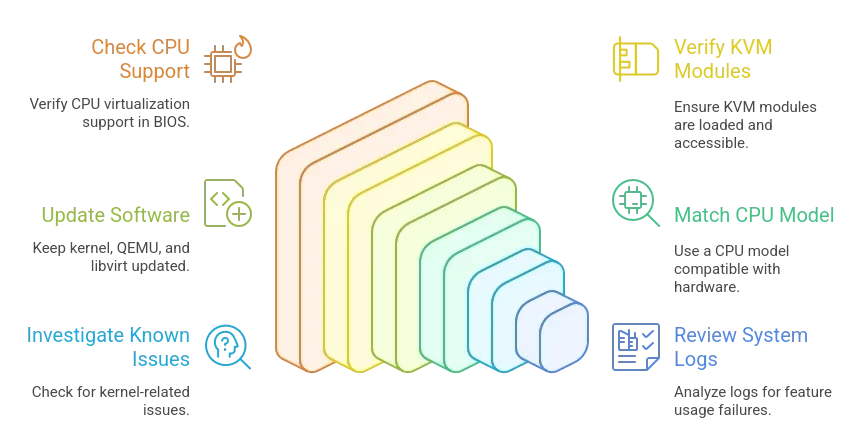
This error appears when the system tries to use a KVM feature that the hardware or kernel cannot support. Keeping your setup healthy helps stop it from returning.
- Make sure your CPU supports virtualization and turn the feature on in the BIOS or UEFI
- Check that KVM modules are loaded and that your user can access the kvm device
- Keep your kernel, QEMU, and libvirt updated so they stay compatible
- Use a CPU model that matches the abilities of your hardware
- Look for known issues linked to your kernel version if the error continues
- Review system logs or QEMU info to see which feature the system is failing to use
[Need assistance with a different issue? Our team is available 24/7.]
Conclusion
The error kvm run failed function not implemented can stop your virtual machines, but it is usually easy to fix. Checking virtualization settings, loading KVM modules, and keeping your system updated helps prevent it. These steps keep your virtual machines running without interruptions.

