


Upgrade OpenLiteSpeed to LiteSpeed Enterprise on DirectAdmin with expert LiteSpeed Support team help for better speed, security, and caching.
Upgrade OpenLiteSpeed to LiteSpeed Enterprise on DirectAdmin
Website speed and server stability shape user experience and site growth. LiteSpeed Web Server stands out for fast loading, low server load, and strong performance during high traffic. This article covers what LiteSpeed Web Server is, the core features of LiteSpeed Enterprise, and how to upgrade from OpenLiteSpeed to LiteSpeed Enterprise on DirectAdmin.
What Is LiteSpeed Web Server
LiteSpeed Web Server is designed for fast-loading websites and smooth performance under heavy traffic. It uses an event-driven setup that handles more visitors while keeping server load low. Since it supports Apache configuration files, switching is simple and stress-free, even when teams need flexibility, such as excluding JS files during performance tuning. This makes it a strong fit for WordPress sites and high-traffic hosting environments.
Both OpenLiteSpeed and LiteSpeed Web Server offer powerful built-in features. These include LSCache for faster page delivery, HTTP 3 support, advanced compression with GZIP and Brotli, and unlimited virtual hosting. Together, these features help websites stay fast, stable, and user-friendly.
Speed Up Your Hosting Environment

LiteSpeed Enterprise Key Features
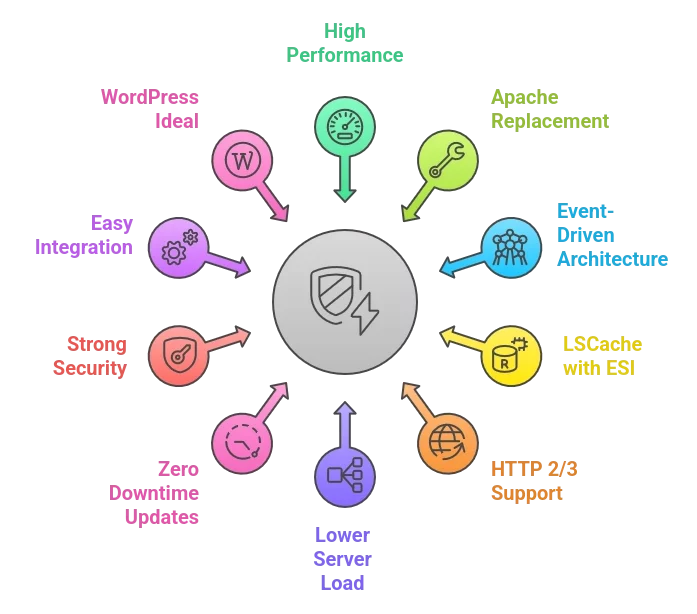
- High-performance web server built for speed and stability
- Direct replacement for Apache with full config support
- Event-driven architecture that handles high traffic easily
- Built in LSCache with ESI for faster static and dynamic pages
- Support for HTTP 2 QUIC and HTTP 3 for modern browsing
- Lower server load and reduced memory usage
- Zero downtime updates and restarts
- Strong security with ModSecurity and Layer 7 attack protection
- Easy integration with cPanel and Plesk
- Ideal for WordPress sites and large hosting environments
Upgrade OpenLiteSpeed to LiteSpeed Enterprise on DirectAdmin
Upgrading from OpenLiteSpeed to LiteSpeed Enterprise on DirectAdmin gives better speed, security, and advanced caching. The process replaces OLS with the Enterprise version and unlocks features such as WordPress brute force protection and LSCache, making it easier to reverse changes later if teams decide to switch to Apache from LiteSpeed on WHM based on hosting needs.
What you need
- Root SSH access to the server
- Apache was fully stopped and removed
- Ports 80, 443, and 7080 open
- A LiteSpeed Enterprise license or trial key
-
Access your server
Log in to your VPS or server using SSH with root access. This is required to run DirectAdmin build commands.
-
Check the current web server
You can confirm the current version using either method below.
Command line
/usr/local/lsws/bin/lshttpd -vDirectAdmin panel
Admin Level, then System Info and Files, then System Information
This confirms OpenLiteSpeed is active.
-
Upgrade to LiteSpeed Enterprise
Run the following commands one by one.
cd /usr/local/directadmin/custombuild

./build update

./build set webserver litespeed

./build litespeed

./build php n

systemctl restart lsws

This switches the web server, installs LiteSpeed Enterprise, rebuilds PHP, and restarts the service. The build process may take time if multiple PHP versions are installed.-
Add your license key
If you have a license key, run the commands below.
./build set litespeed_serialno your serial number

./build litespeed
Without a key, the server runs on a trial version.
-
Verify the upgrade
Check the version again using SSH or the DirectAdmin system info page. You should now see LiteSpeed Enterprise running.
-
Access WebAdmin Console
- Open https colon slash slash your server IP colon 7080
- Use your existing OpenLiteSpeed credentials or reset the password if needed.
Once completed, your DirectAdmin server runs on LiteSpeed Enterprise with better performance, stronger security, and full caching support for high-traffic websites.
[Need assistance with a different issue? Our team is available 24/7.]
Conclusion
LiteSpeed Web Server delivers faster load times, lower server load, and reliable performance for high-traffic websites. Upgrading to LiteSpeed Enterprise adds advanced caching, stronger security, and better control for WordPress and hosting servers. Take the next step now and upgrade OpenLiteSpeed to LiteSpeed Enterprise on DirectAdmin for improved speed and stability.

