Virtualization has become a fundamental part of modern IT infrastructure. Proxmox VE provides a central management environment for running and managing virtual machines and Linux containers, particularly in environments with multiple servers and workloads.
This flexibility also brings responsibility. Data stored in the virtual infrastructure must be protected against hardware failures, accidental deletion, ransomware attacks, storage corruption, and configuration errors.
A backup alone is not enough. Businesses need to consider where backups are stored, how often they are created, how long they are retained, and how to restore them when needed.
This blog covers practical Proxmox VE backup strategies and how to build a reliable backup and recovery approach. A well-planned backup strategy is only one part of maintaining a reliable Proxmox environment. Ongoing administration, monitoring, and troubleshooting are also important. Our Proxmox assistance covers these areas along with Proxmox deployment and maintenance.
What are the Backup Options Available in Proxmox
Proxmox VE provides backup capabilities through the vzdump command-line utility and its web-based interface. Both virtual machines and Linux containers can be backed up.
Proxmox can include guest configuration along with workload data, making recovery more practical when a system needs to be restored.
The available backup modes support different workload requirements and consistency needs.
Snapshot Mode
Snapshot mode allows backups to run while virtual machines remain operational. This makes it suitable for production environments where keeping services available during backup operations is important.
When the QEMU Guest Agent is enabled and functioning, Proxmox can use fsfreeze and unfreeze methods to help maintain consistency between guest files during the backup process.
Stop Mode
Stop mode shuts down the virtual machine completely while the backup is created.
This approach introduces downtime, but it provides a more tightly coordinated backup process. It can be useful when workload consistency is more important than keeping the service continuously available.
Suspend Mode
Suspend mode temporarily pauses the virtual machine while the backup process runs.
The choice between these methods depends on the workload, the acceptable downtime, and the level of consistency required during recovery.
Use Proxmox Backup Server for Centralized Backup Management
Proxmox Backup Server (PBS) is a purpose-built platform for centrally managing backups and integrates closely with Proxmox VE.
Its features simplify routine backup operations while reducing storage and bandwidth requirements.
Main features
Incremental transfers: After the initial backup, only data that has changed since the previous backup is transferred. This can reduce the amount of data sent during subsequent backups.
Deduplication: Backup data is divided into chunks, and duplicate chunks are stored only once. This reduces duplicate data in the backup datastore.
Compression: Backup data is compressed to reduce its storage footprint.
Client-side encryption: Backups can be encrypted before they leave the source system, helping protect the data stored on the backup server.
Remote sync: Backup datastores can be synchronized to another PBS instance, which can support off-site copies and disaster recovery.
Verification: Built-in verification checks the integrity of stored backups and can help detect corruption.
Although incremental transfers and deduplication reduce the amount of data transferred and stored, each backup snapshot still serves as a complete recovery point.
You can restore from an individual snapshot without manually reconstructing a chain of earlier backups.
Why use a dedicated PBS host?
Environments containing many virtual machines and containers can benefit from running Proxmox Backup Server on a separate server.
This keeps backup operations separate from production workloads, reduces overhead on production hosts, and simplifies long-term backup management.
Schedule Backups Instead of Relying on Manual Operations
Manual backups may work in a small test environment, but they are difficult to maintain consistently in production.
A newly created VM may be left out of the backup process. A scheduled backup may be forgotten for several days. These gaps can turn a simple system failure into significant data loss.
Proxmox VE supports scheduled backup jobs through the Datacenter section of its web interface. Once configured, these jobs can run automatically without requiring manual intervention.
Planning your backup schedule
- Prioritize critical systems: Identify the VMs and containers that contain business-critical data.
- Choose quiet hours: Schedule backup jobs during periods of lower activity to reduce the effect on running services.
- Match frequency to risk: Determine how much data the business can afford to lose and use that requirement to establish backup frequency.
- Enable notifications: Configure alerts so failed backup jobs are identified quickly.
- Review reports: Check backup results regularly to make sure failed jobs do not go unnoticed.
Follow the 3-2-1 Backup Strategy
A simple way to strengthen data protection is to follow the 3-2-1 backup rule:
- 3 copies: Keep the original data and at least two backup copies.
- 2 storage types: Store the copies on two different types of storage media.
- 1 off-site copy: Keep at least one backup in a separate physical location.
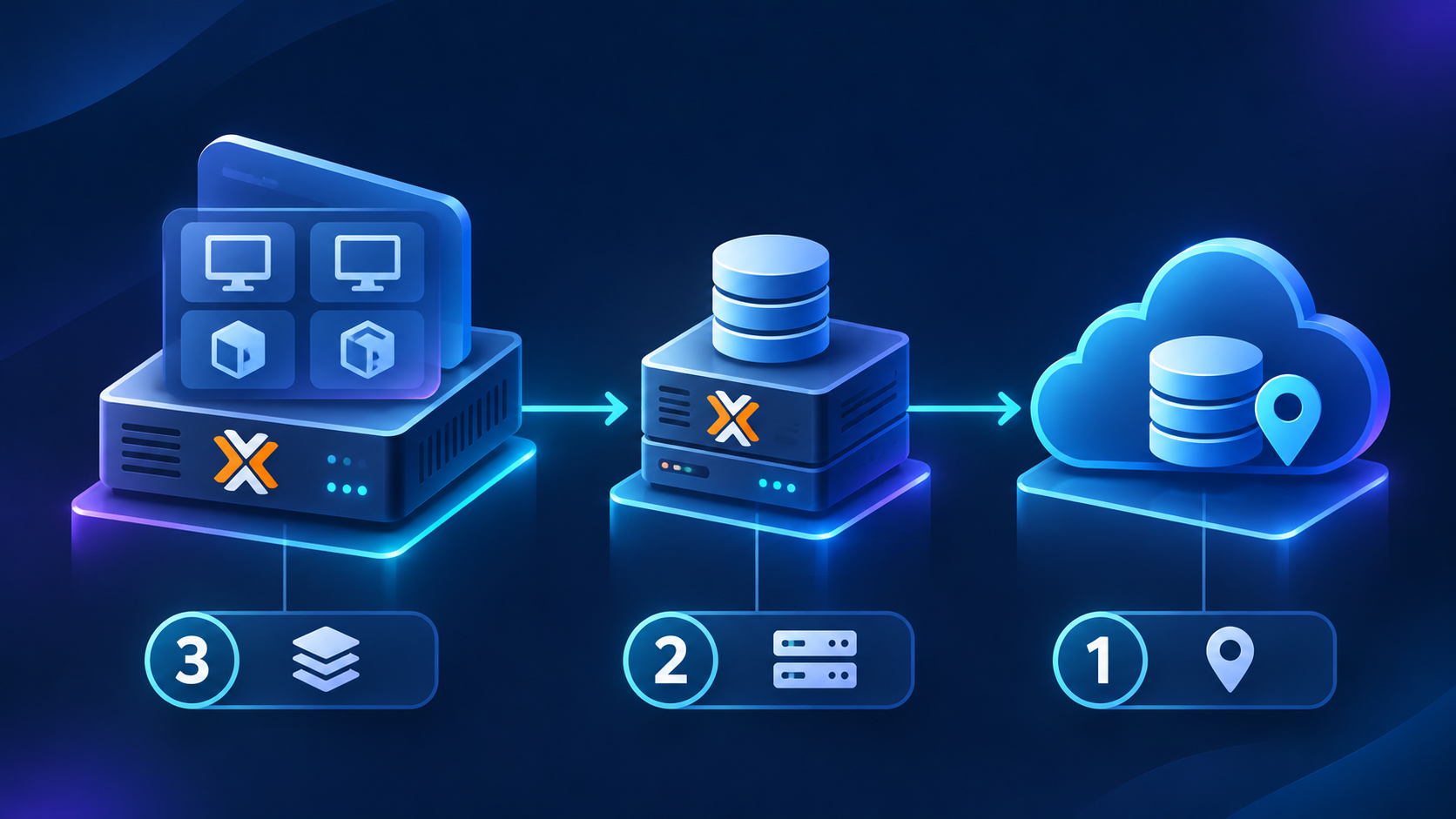
What does this look like in Proxmox?
A Proxmox environment could use:
- Live workloads running on the Proxmox VE host.
- A local backup stored on a dedicated Proxmox Backup Server or NAS.
- A second backup stored at a remote site or in cloud storage.
This approach provides additional protection if the primary servers and local backup storage are affected by the same incident, such as a fire, power failure, or hardware loss.
Add extra protection against ransomware
Where the storage platform supports it, consider adding immutable or offline backups.
Since these copies cannot be modified or deleted through normal access, they can provide a clean recovery point if ransomware affects production systems and connected backups.
Maintain an Off-Site Backup Copy
Keeping backups in the same physical location as production servers creates a single point of failure.
A fire, power surge, hardware failure, or security incident could affect both the production environment and its local backups.
An off-site copy provides another recovery option if the primary location becomes unavailable.
Where can you keep remote copies?
Possible locations include:
- A Proxmox Backup Server at another office or data center
- Remote storage infrastructure
- S3-compatible object storage, where supported
- Tape for long-term archiving
Proxmox Backup Server supports sync jobs that can transfer backup data from one PBS installation to another.
Plan before setting up remote backups
Consider bandwidth requirements, transfer schedules, encryption, access permissions, and the required recovery time.
Planning these factors in advance can make the recovery process easier when the backup is actually needed.
Configure Backup Retention Policies
Creating regular backups is important, but keeping every backup indefinitely is not practical.
Storage capacity is limited, and an unmanaged backup repository can eventually become full. Retention policies help determine how long different backup versions should be kept.
Proxmox provides several retention options:
| Retention Option | Purpose |
|---|---|
| Keep Last | Retains a set number of the most recent backups |
| Keep Hourly | Retains selected hourly recovery points |
| Keep Daily | Retains selected daily recovery points |
| Keep Weekly | Retains selected weekly recovery points |
| Keep Monthly | Retains selected monthly recovery points |
Example retention policy
A possible configuration could retain:
- 7 daily backups
- 4 weekly backups
- 12 monthly backups
This provides recent restore points for quick recovery while keeping older versions for situations where you need to restore data from further back.
The right retention policy depends on available storage, compliance requirements, business needs, and recovery objectives.
Enable Encryption and Restrict Backup Access
Backups can contain the same sensitive information as production systems, including customer records, databases, application data, and configuration files.
Unauthorized access to backup storage can therefore create a serious security risk.
Ways to reduce the risk
- Use client-side encryption where appropriate.
- Create dedicated accounts for backup administration.
- Apply role-based access controls.
- Restrict access to backup storage and management interfaces.
- Use secure connections for remote backup transfers.
- Store encryption keys separately from backups, while keeping a secure recovery copy elsewhere.
Proxmox Backup Server does not enable encryption by default, so encryption needs to be configured as part of the backup strategy.
Encryption keys also need to be protected carefully. Losing the key without a backup copy can make encrypted data impossible to restore.
Monitor Backup Jobs and Storage Health
Setting up backups is not a one-time task. Backup environments can encounter full storage, network failures, authentication problems, or failed jobs.
Identify these issues before they affect recovery.
What should you monitor?
- Backup job success and failure notifications
- Available storage capacity
- Backup duration and performance
- Proxmox Backup Server datastore health
- Verification task results
- Remote synchronization status
- Retention and pruning activity
Proxmox Backup Server can perform scheduled verification tasks to check the integrity of stored backup data.
Regular monitoring helps identify problems before a backup is needed for an actual recovery.
Test Your Backups and Recovery Process
Creating backups does not guarantee that recovery will work when you need it.
A backup strategy should include regular restore testing. The goal is to confirm that backup data can be recovered and that the restored workload behaves as expected.
Testing can also reveal problems with backup integrity, retention settings, access permissions, encryption keys, or recovery procedures.
A backup that has never been tested should not be treated as a confirmed recovery option. Managing Proxmox backups requires more than scheduling backup jobs. Regular monitoring, storage management, configuration checks, and troubleshooting can help keep the environment reliable. Our Proxmox Support provides assistance with Proxmox configuration, maintenance, monitoring, and administration.
Conclusion
A reliable backup strategy should reflect the business’s actual recovery requirements, including how much data it can afford to lose, how quickly systems need to be restored, and which workloads are most important.
Ultimately, a backup is only useful if it can be restored when needed. Regularly testing the recovery process helps ensure that the backups are ready when they matter most.