Modern business applications often need APIs to automate processes, synchronize data, and connect with internal or external services. CRM, ERP, web, and mobile applications can all rely on APIs to exchange data and perform operations.
Laravel provides a practical framework for building RESTful APIs in PHP. Its routing, validation, authentication, ORM, resource, and testing features help developers build APIs that are easier to maintain and integrate. Businesses looking to build or enhance Laravel-based applications can explore Laravel development services for support across application development, API integration, and ongoing improvements.
This blog explains how to build a RESTful Employee Management API with Laravel, starting with project setup and endpoint design, then covering authentication, validation, and API testing.
What Is a RESTful API?
A RESTful API, or Representational State Transfer API, allows clients to communicate with a server through standard HTTP requests.
Common HTTP methods include:
| HTTP Method | Description |
|---|---|
| GET | Retrieve data from the server |
| POST | Create new data |
| PUT / PATCH | Update data |
| DELETE | Delete data |
Instead of returning HTML pages, a RESTful API typically returns JSON data that can be consumed by:
- Single-page applications
- Mobile applications
- Third-party services
- Internal business applications
- Automation platforms
Using standard HTTP methods and predictable request and response formats makes REST APIs easier to understand and integrate.
Why Use Laravel for API Development?
Laravel is a popular PHP framework for web application and API development. It includes several features that reduce the amount of infrastructure developers need to build manually.
Key Laravel features include:
- Elegant routing
- Eloquent ORM
- Request validation
- Resource transformers
- Middleware support
- Authentication
- Built-in testing tools
- Comprehensive documentation
These features allow developers to focus on application requirements instead of repeatedly implementing common API functionality.
Prerequisites
Before creating the API, make sure the following are available:
- PHP 8.2 or later
- Composer
- MySQL or MariaDB
- Laravel Installer, if preferred
- Postman or Insomnia
- Basic knowledge of PHP and MVC architecture
Create a new Laravel project:
composer create-project laravel/laravel employee-api
Move into the project directory:
cd employee-api
Next, configure the database credentials in the .env file.
Design the API Before Writing Code
Planning the endpoints before implementation can reduce unnecessary changes later.
This tutorial uses an Employee Management API for an ERP application.
| Method | Endpoint | Description |
|---|---|---|
| GET | /api/employees | Retrieve all employees |
| GET | /api/employees/{id} | Retrieve a specific employee |
| POST | /api/employees | Create an employee |
| PUT | /api/employees/{id} | Update an employee |
| DELETE | api/employees/{id} | Delete an employee |
Defining the API structure early provides a clear foundation for the implementation.
Create the Model and Migration
Generate the Employee model and its migration:
php artisan make:model Employee -m
Update the migration to create the employees table:
Schema::create('employees', function (Blueprint $table) {
    $table->id();
    $table->string('name');
    $table->string('email')->unique();
    $table->string('department');
    $table->timestamps();
});
Run the migration:
php artisan migrate
This creates the database structure required by the Employee API.
Create the API Controller
Generate an API controller using Artisan:
php artisan make:controller Api/EmployeeController --api
Laravel creates the standard CRUD methods:
- index()
- store()
- show()
- update()
- destroy()
Avoid putting too much business logic inside controllers. As an application grows, moving business logic into dedicated service classes can make the codebase easier to maintain.
Define the API Routes
Open the routes/api.php file and import the controller:
use App\Http\Controllers\Api\EmployeeController;
Then define the resource route:
Route::apiResource('employees', EmployeeController::class);
This single line generates the standard CRUD routes for the Employee API.
Validate API Requests
API requests should be validated before the application processes the submitted data.
A basic validation example is:
$request->validate([
    'name' => 'required|string|max:255',
    'email' => 'required|email|unique:employees',
    'department' => 'required|string'
]);
As the application becomes more complex, validation rules can be moved into dedicated Form Request classes. This keeps controllers easier to manage.
Return Consistent JSON Responses
Laravel Resource classes can help create consistent JSON responses.
For example:
return new EmployeeResource($employee);
Using a consistent response structure makes it easier for frontend applications and third-party services to consume the API.
Add Authentication
Most business APIs need authentication to protect sensitive data.
Laravel Sanctum provides lightweight token-based authentication. Install it using Composer:
composer require laravel/sanctum
API routes can then be protected using the Sanctum middleware:
Route::middleware('auth:sanctum')->group(function () {

});
Token-based authentication can be useful for internal business applications where API access needs to be controlled.
Handle API Errors Properly
APIs should return meaningful HTTP status codes so that clients can understand the result of each request.
| Status Code | Meaning |
|---|---|
| 200 | OK |
| 201 | Created |
| 400 | Bad Request |
| 401 | Unauthorized |
| 404 | Not Found |
| 422 | Unprocessable Entity |
| 500 | Internal Server Error |
Laravel can also return validation details alongside a 422 response. This gives API consumers useful information when submitted data does not meet the required validation rules.
Paginate Large Results
Returning a large number of records in a single response can affect API performance and usability. Laravel provides built-in pagination.
For example:
Employee::paginate(20);
A paginated response can include information such as:
- Data
- Current page
- Total records
- Next page
- Previous page
Pagination helps applications handle larger datasets more effectively.
Add Filtering and Searching
APIs often need to filter records based on user input.
For example:
GET /employees?department=Finance
A search request could look like:
GET /employees?search=John
Query parameters allow clients to filter and search data without creating separate endpoints for every possible requirement.
Version the API
APIs can change as application requirements evolve. Replacing an existing endpoint can break applications that already depend on it.
API versioning lets you introduce changes while keeping older integrations functional.
For example:
/api/v1/employees
A newer version could use:
/api/v2/employees
Existing applications can continue using the older version while newer applications adopt the updated API.
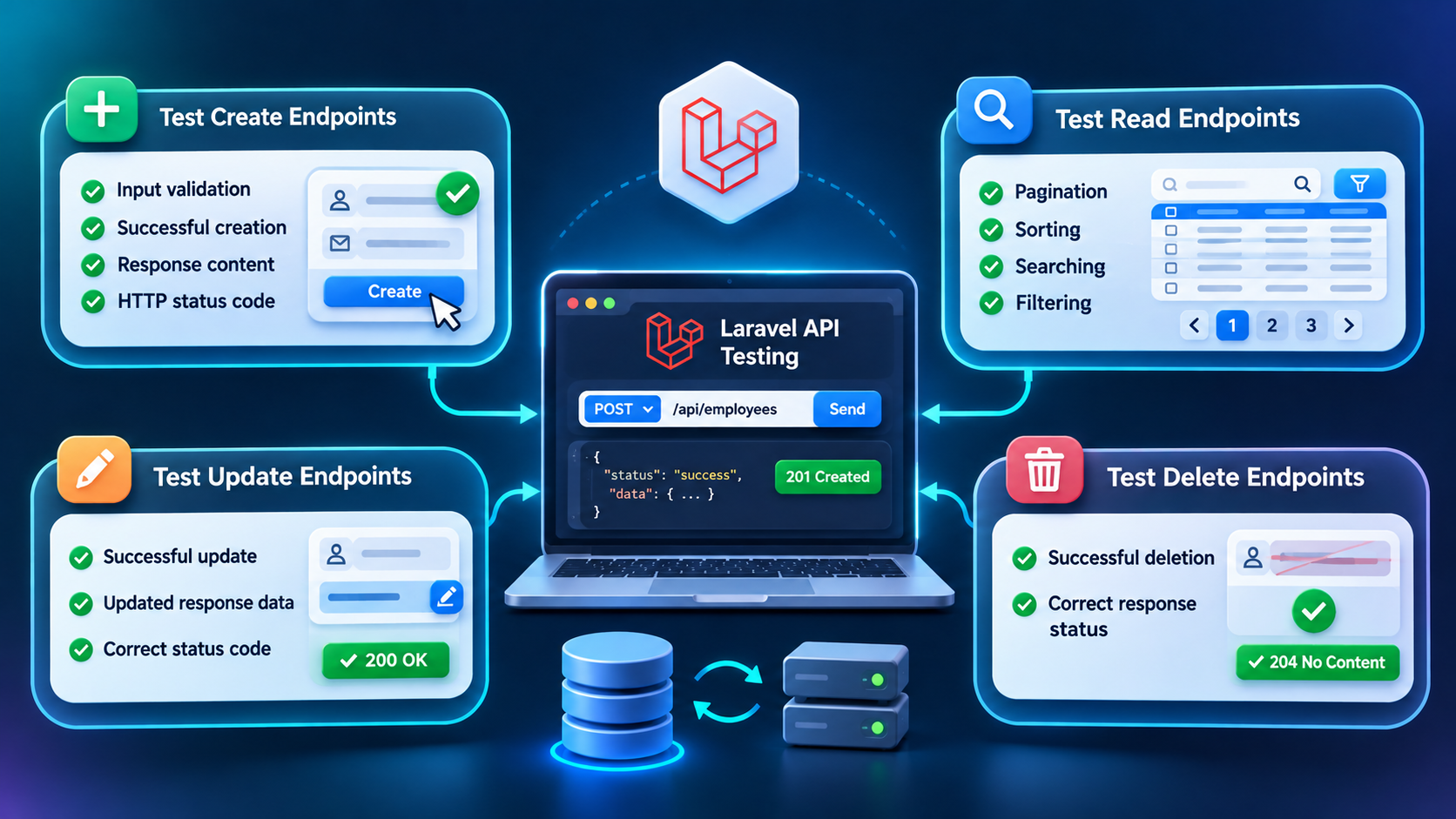
Test the Laravel API
Every endpoint should be tested before it is connected to frontend applications or other services.
Add Automated API Tests
Laravel includes testing tools you can use to automate API validation.
A feature test can create an employee and verify that the API returns the expected status:
$this->postJson('/api/employees', [
    'name' => 'John Smith',
    'email' => '[email protected]',
    'department' => 'Finance'
])->assertStatus(201);
Automated tests should cover critical API functionality so changes to the application don’t introduce unexpected regressions.
Laravel API Development Best Practices
Several practices can make Laravel APIs easier to maintain:
- Keep controllers lightweight.
- Move business logic into service classes.
- Validate every request.
- Return consistent JSON responses.
- Use standard HTTP status codes.
- Implement pagination.
- Support filtering through query parameters.
- Protect endpoints with authentication and authorization.
- Log unexpected errors.
- Use API Resources for responses.
- Document every endpoint.
- Write automated tests for business-critical functionality.
Applying these practices provides a cleaner foundation for APIs that need to evolve over time.
Common Laravel API Mistakes
Several implementation issues can make APIs harder to maintain or integrate.
Avoid:
- Returning inconsistent response structures
- Skipping request validation
- Placing excessive business logic inside controllers
- Exposing unnecessary database fields
- Bypassing Eloquent with direct SQL unnecessarily
- Neglecting authentication
- Ignoring proper error handling
- Skipping automated tests
Addressing these issues early can help improve API reliability and maintainability.
Conclusion
Laravel provides a practical foundation for building RESTful APIs for business applications. Its routing, validation, authentication, resource, and testing features support API development while keeping the codebase structured and maintainable. This tutorial covered the main stages of creating a Laravel API, including project setup, endpoint design, database configuration, validation, authentication, error handling, pagination, versioning, and testing.
CRM, ERP, and other business applications can use Laravel to build APIs that connect different services and applications while providing a consistent way to exchange data. Organizations planning to develop scalable web applications with Laravel can explore Laravel development services for help with application development, API integration, and custom Laravel solutions.