


Docker Compose has production limits. See how managed kubernetes & containers improve scalability, security, and reliability.
Docker Compose is an excellent tool for local development, testing, and small-scale deployments. It allows teams to define and run multi-container applications with minimal configuration, so they can quickly set up development environments. However, many organizations make the mistake of extending Docker Compose into production, where reliability, scalability, and security become critical requirements.
Modern teams love containers, yet many still rely on Docker Compose for production workloads simply because “it’s what we used in development.” This familiarity can be misleading and often hides serious reliability and scalability risks once real users and real-world traffic come into play.
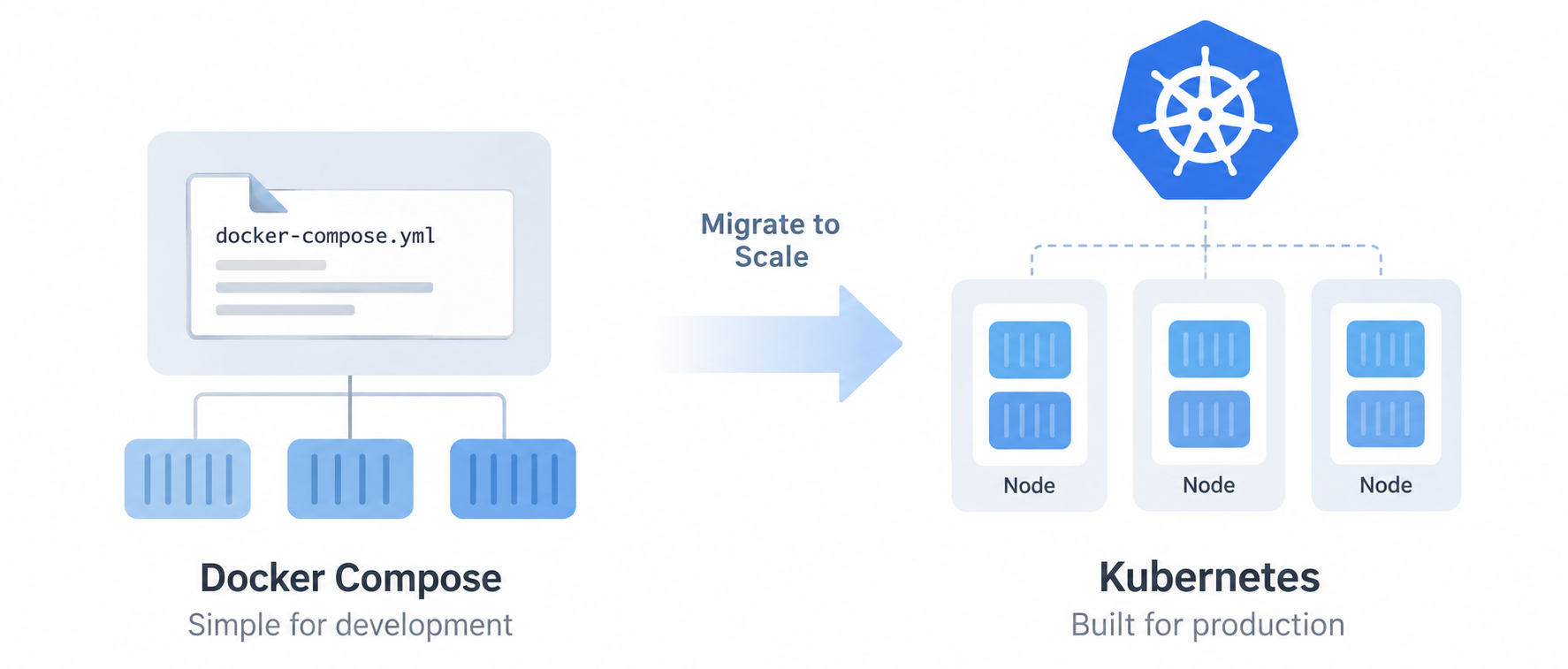
This blog explores the major pitfalls of using Docker Compose in production and explains why migrating to Kubernetes can provide a more reliable and scalable foundation.
An Overview
- 1. Limited Scalability
- 2. No Self-Healing or High Availability
- 3. Single Host Dependency
- 4. Poor Networking and Service Discovery
- 5. Configuration and Secrets Management Issues
- 6. Lack of Role-Based Access Control (RBAC)
- 7. Operational Visibility and Monitoring Challenges
- 8. No Built-in CI/CD or Deployment Strategies
- 9. Compliance and Enterprise Readiness
- When Docker Compose Does Make Sense
- Migration Strategy: From Docker Compose to Kubernetes
1. Limited Scalability
Docker Compose Limitations
Docker Compose provides basic scaling through the –scale flag, which:
- Works on a single host only
- Does not support intelligent load balancing
- Lacks autoscaling based on CPU or memory usage
As traffic changes, teams need to scale services manually. This process can become error-prone and inefficient when traffic fluctuates.
Kubernetes Advantage
Kubernetes is built for scale:
- Horizontal Pod Autoscaler (HPA) automatically scales workloads
- Native service discovery and load balancing
- Designed for multi-node, multi-zone, and multi-region clusters
Move to Kubernetes Today.

2. No Self-Healing or High Availability
Docker Compose Pitfalls
If a container crashes in Docker Compose:
- It may not restart reliably
- There is no health-based rescheduling
- If the host fails, the entire application goes down
As a result, teams must implement high availability manually, often using custom scripts.
Kubernetes Advantage
Kubernetes continuously monitors application health:
- Automatically restarts failed containers
- Reschedules pods on healthy nodes
- Supports replica-based high availability out of the box
3. Single Host Dependency
Docker Compose Pitfalls
Docker Compose is tightly coupled to a single Docker host:
- No native multi-node orchestration
- Difficult disaster recovery
- Limited fault tolerance
Therefore, this creates a single point of failure, which is unacceptable for production workloads.
Kubernetes Advantage
Kubernetes operates as a distributed system:
- Runs workloads across multiple nodes
- Handles node failures gracefully
- Enables rolling updates and zero-downtime deployments
4. Poor Networking and Service Discovery
Docker Compose Pitfalls
Docker Compose networking is basic:
- Limited service discovery
- No built-in traffic routing rules
- Manual network configuration becomes complex
As applications grow, advanced networking requirements quickly become difficult to manage.
Kubernetes Advantage
Kubernetes offers powerful networking primitives:
- Built-in DNS-based service discovery
- Ingress controllers for HTTP/HTTPS routing
- Network policies for fine-grained traffic control
5. Configuration and Secrets Management Issues
Docker Compose Pitfalls
In production, Docker Compose often relies on:
- Environment variables stored in .env files
- Plaintext secrets in YAML files
This creates serious security risks and makes configuration management difficult across environments.
Kubernetes Advantage
Kubernetes provides native configuration management:
- ConfigMaps for application configuration
- Secrets for sensitive data
- Integration with external secret managers such as Vault and AWS Secrets Manager
6. Lack of Role-Based Access Control (RBAC)
Docker Compose Pitfalls
Docker Compose has no concept of:
- User roles
- Access control
- Namespace-level isolation
Anyone with Docker access effectively has full control.
Kubernetes Advantage
Kubernetes includes enterprise-grade security:
- Role-Based Access Control (RBAC)
- Namespaces for workload isolation
- Audit logs and policy enforcement
7. Operational Visibility and Monitoring Challenges
Docker Compose Pitfalls
Monitoring Docker Compose setups requires:
- External tools
- Custom logging and monitoring configurations
- Manual correlation of metrics
As a result, troubleshooting production issues can become time-consuming.
Kubernetes Advantage
Kubernetes integrates well with observability tools:
- Prometheus for metrics
- Grafana for dashboards
- Centralized logging using ELK / EFK stacks
- Native events and status reporting
8. No Built-in CI/CD or Deployment Strategies
Docker Compose Pitfalls
Docker Compose lacks:
- Rolling updates
- Canary deployments
- Blue-green deployments
As a result, deployments often require downtime or complex scripts.
Kubernetes Advantage
Kubernetes supports modern deployment strategies:
- Rolling updates with zero downtime
- Canary and blue-green deployments
- GitOps workflows using tools like Argo CD and Flux
9. Compliance and Enterprise Readiness
Docker Compose Pitfalls
Docker Compose is not ideal for:
- Compliance audits
- Enterprise governance
- Policy enforcement
As regulatory requirements grow, Compose becomes increasingly inadequate.
Kubernetes Advantage
Kubernetes is enterprise-ready:
- Policy enforcement with OPA/Gatekeeper
- Compliance-friendly audit trails
- Widely adopted across regulated industries
When Docker Compose Does Make Sense
Docker Compose is still a great choice for:
- Local development environments
- Proof of concepts (POCs)
- Small internal tools
- Learning container fundamentals
Treat it as a development tool, not a production orchestrator.
Migration Strategy: From Docker Compose to Kubernetes
A gradual migration approach is recommended:
- Convert Docker Compose services into Kubernetes Deployments
- Replace Compose networks with Kubernetes Services
- Move environment variables to ConfigMaps and Secrets
- Introduce Ingress for traffic routing
- Implement monitoring and autoscaling
Tools like Kompose can help with initial conversions, but manual refinement remains essential.
Conclusion
Docker Compose simplifies containerized development, but its limitations become severe in production environments. As applications grow in complexity, availability requirements, and scale, Kubernetes provides the resilience, security, and operational maturity that modern production systems demand.
Migrating to Kubernetes is not only a technical upgrade. It is also a strategic investment in stability, scalability, and long-term growth. Organizations that embrace Kubernetes early can prepare their environments for smoother operations and future expansion.

