


Build faster mobile apps with a Headless CMS. Get expert help from our Headless CMS Support team to manage content on every device.
How a Headless CMS Transforms Mobile App Content
We judge a mobile app in seconds. If it loads fast, shows the right content, and feels easy to explore, we keep using it. If it doesn’t, we close it and move on. What truly decides that experience isn’t only design or features, but how the app delivers and updates its content in the background.
A headless CMS gives apps the power to do this consistently. It keeps content fresh without extra releases and lets teams publish and design freely across every device.
-
- What is a Headless CMS
- How a Headless CMS Works
- Why Teams Prefer a Headless CMS
- Why It Is Called Content as a Service
- Why Use a Headless CMS for Mobile Content
- What Makes a Headless CMS Ideal for Mobile
- Quick Steps to Build a Mobile App With a Headless CMS
- The Right Strategy for Content-Focused Mobile Experiences
What is a Headless CMS
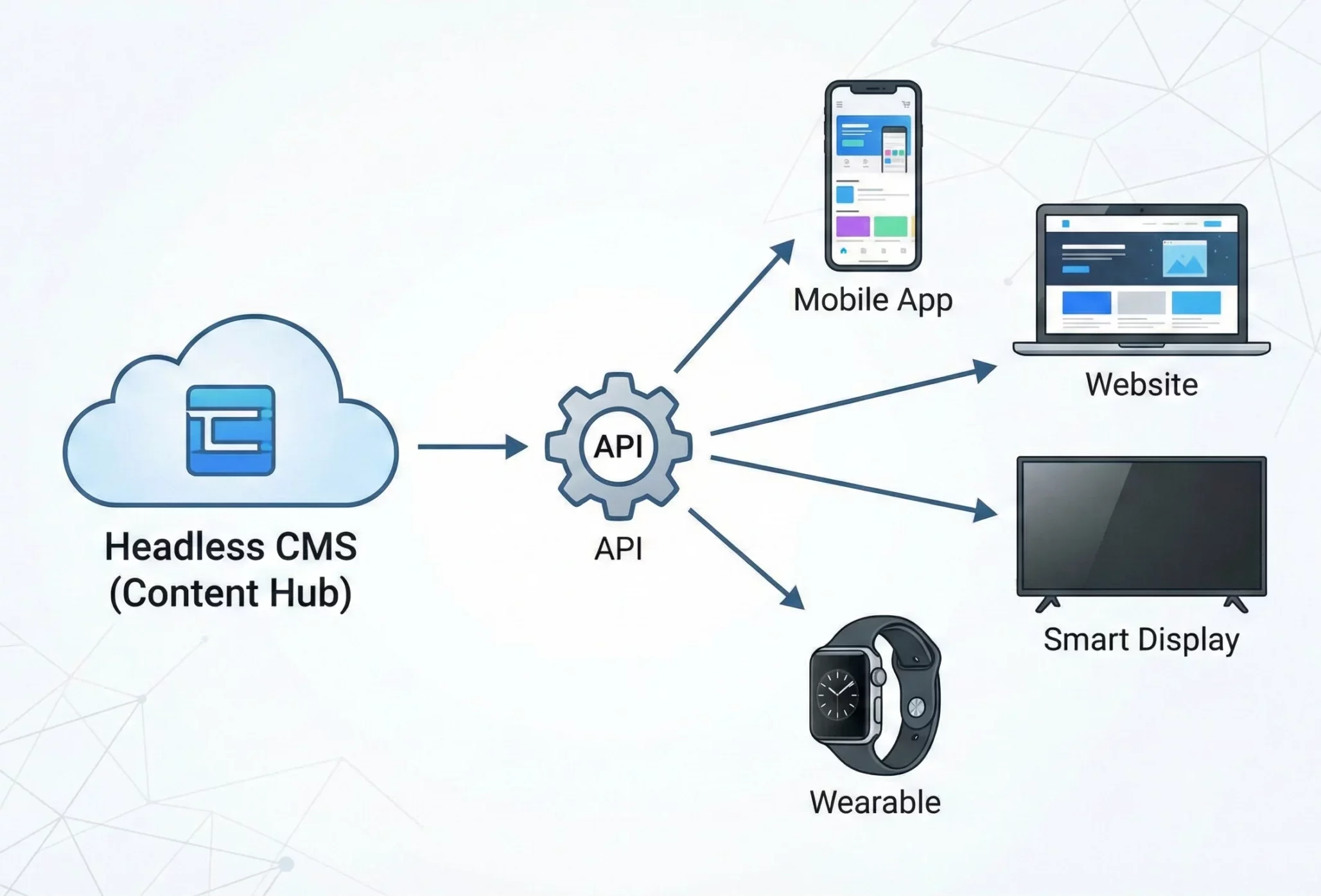
A headless CMS stores and manages content in one place and shares it with any website, app, or digital device through an API. It focuses on content creation while the visual layout is handled separately by developers. This split gives content teams freedom to create and developers freedom to design what they want for any platform.
How a Headless CMS Works
A headless CMS has three parts that work together.
- Backend: Content creators write, edit, and manage text, videos, and media in a shared content hub.
- API: The system shares stored content with different platforms through an API, such as REST or GraphQL.
- Frontend: Developers design custom layouts for websites, apps, smart devices, or even chatbots. These platforms pull content from the CMS through the API.
Simple Example
Imagine a team creates tutorials in one content hub. The same content can appear on
- A learning website
- A mobile app with offline access
- A smart TV app
- An AI chatbot that answers questions
Creators focus on quality content while developers build engaging experiences for each platform.
Make your app faster and more flexible

Why Teams Prefer a Headless CMS
- More freedom: Developers choose any frontend technology
- Central content source: Publish once and share everywhere
- Consistent experience: Content looks and feels the same across devices
- Faster workflow: Creation and development happen at the same time
- Easy to grow: Both frontend and backend scale without affecting each other
Why It Is Called Content as a Service
A headless CMS does not create any front-end code. It stores content and shares it through an API, so many teams call it Content as a Service or CaaS. This approach treats content like a service that any device can use.
The same content can reach websites, mobile apps, smart TVs, chat tools, or any digital screen that reads data from the CMS.
What makes this valuable for brands
- Content stays in one central hub
- Every channel receives the same content
- Teams skip template limits and design freely
This setup supports strong omnichannel delivery where audiences get the same message across every touchpoint. It also supports a consistent experience on phones, tablets, desktops, and large screens. A single CMS handles everything in one place, which keeps content organized and ready for any platform.
Why Use a Headless CMS for Mobile Content
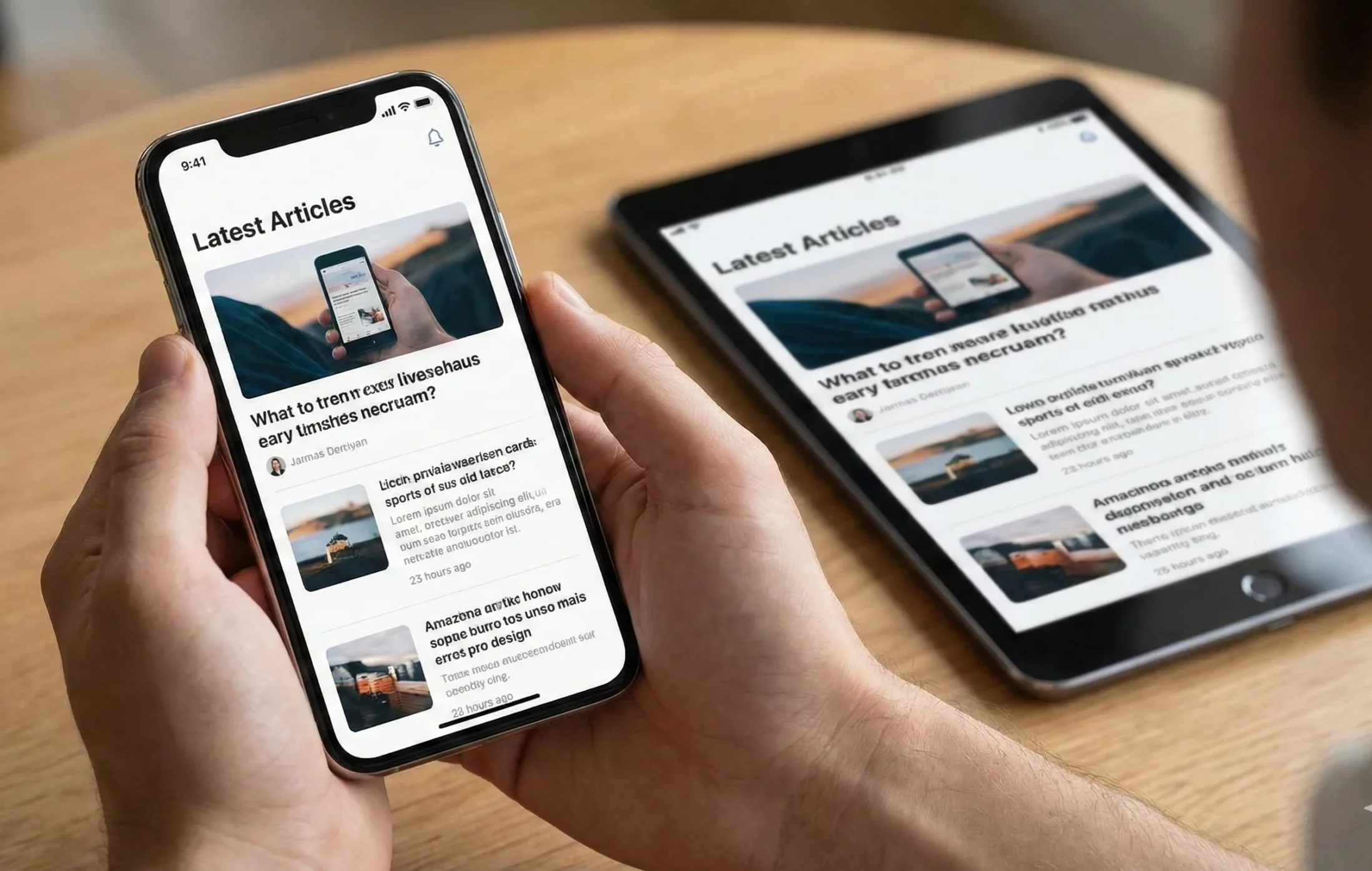
A headless CMS stores content in one place and shares it with apps, websites, and other digital platforms through an API. This keeps content consistent on every device and supports faster delivery for mobile users. Developers gain full control of the front end while content teams work freely without touching code.
Benefits of Using a Headless CMS for Mobile Content
- Omnichannel content delivery: Create content once and share it with mobile apps, websites, smart devices, and more. The same message reaches every platform, which helps maintain brand consistency.
- Faster performance on mobile: Content reaches apps through APIs. This approach improves load speed and creates a smoother experience for users on phones and tablets.
- More freedom for developers: Developers choose their own tools to build creative mobile layouts. They are not restricted by themes or templates found in traditional CMS platforms.
- Shorter launch time: Content writers and developers work at the same time. This cuts delays and helps new features and updates reach users faster.
- Easy to scale: One CMS controls content for many products and regions. You can grow your app presence without reshaping the entire system.
- Better security: The backend is separate from the user interface. Sensitive data stays protected and is not exposed directly to the app screen.
- Simple content management: One admin panel handles content for every channel. No need to log into different systems or repeat the same work.
What Makes a Headless CMS Ideal for Mobile
- API-first approach: Headless platforms are built around API delivery. Content flows cleanly through REST or GraphQL, making mobile integration fast and reliable.
- Clear separation of roles: Developers handle design and functionality. Content teams focus on writing, images, and media. Everyone works in their area without blocking each other.
- Ready for multiple devices: Anything that can read an API can receive content. Smartwatches, mobile phones, AR and VR platforms, and even connected home devices can pull data from the same CMS.
- Strong performance and security: Cloud-based headless systems manage uptime, data safety, and performance. Teams build better apps without dealing with heavy infrastructure tasks.
Quick Steps to Build a Mobile App With a Headless CMS
A headless CMS stores content, and your mobile app pulls that content through an API. Here’s the short version of how to set it up.
-
Pick a Headless CMS
- Choose a CMS that lets you model content and fetch it through REST or GraphQL.
- Popular choices include Contentful, Strapi, Sanity, and ButterCMS.
Create your account and add content models. For example, a news app might have models for article and author with fields for title, body, image, and author info.
-
Build the Mobile App
Choose a mobile framework such as React Native, Flutter, Swift, Kotlin, or Ionic.
Here we use React Native:
npx react-native init YourAppName

cd YourAppName-
Connect to the CMS
Use the API or install an SDK. For Contentful:
npm install contentfulCreate a file named contentfulService.js
import { createClient } from 'contentful';

const client = createClient({

space: 'your_space_id',

accessToken: 'your_access_token'

});

export async function fetchArticles() {

const entries = await client.getEntries({

content_type: 'article'

});

return entries.items;

}
Replace the space ID and token with values from your CMS dashboard.
-
Fetch and Show Data in the App
Add this in App.js to display articles:
import React, { useState, useEffect } from 'react';

import { View, Text, FlatList } from 'react-native';

import { fetchArticles } from './contentfulService';

export default function App() {

const [articles, setArticles] = useState([]);

useEffect(() => {

fetchArticles().then(data => setArticles(data));

}, []);

return (

<View>

<Text style={{ fontSize: 24, fontWeight: 'bold' }}>Latest Articles</Text>

<FlatList

data={articles}

keyExtractor={(item) => item.sys.id}

renderItem={({ item }) => (

<View style={{ padding: 10 }}>

<Text style={{ fontSize: 18 }}>{item.fields.title}</Text>

<Text>{item.fields.body}</Text>

</View>

)}

/>

</View>

);

}-
Support Content Updates
- You can update content without updating the app.
- Use polling to check updates or use webhooks so the app gets notified when content changes.
-
Keep It Fast and Secure
Add caching for offline access, load data only when needed, and keep API keys protected.
-
Test and Publish
Test across devices and screen sizes, then publish the app on the Apple App Store or Google Play.
The Right Strategy for Content-Focused Mobile Experiences
Content-focused apps work best when they put the user first. A strong app delivers content quickly, looks clear on small screens, and updates without delays. Smart planning, the right tools, and constant improvements help make that possible.
Start With the User
Know who your users are and what they want to read, watch, or explore. Keep the design simple so the content feels easy to find. Release only what matters first, then grow features slowly. Create smooth user journeys so people can move through content without confusion.
Manage and Design Content Wisely
A headless CMS lets teams publish and update content instantly, without sending new app versions. Writers focus on content, developers focus on the app, and both can work at the same time.
Keep text short, use clear headings, and optimize media for mobile screens. Add offline support for key content. Personal recommendations can boost engagement if they feel natural and helpful.
Choose the Right Tech and Stay Fast
Frameworks like Flutter and React Native help you build for both iOS and Android faster. For content-heavy apps, this keeps releases quick and flexible.
Speed matters. Content should load quickly and feel smooth to scroll. Protect user data with secure logins and proper encryption so users feel safe using your app.
Test, Launch, Learn, Improve
Test on different devices, networks, and screen sizes. After launching, watch how users behave, read feedback, and keep improving. Small updates over time create better experiences and stronger loyalty.
Challenges to Solve
Apps need real-time content updates without forcing users to download new versions. Content should stay consistent across devices. Personalization is hard to scale, but it helps keep users interested. Global audiences expect speed and steady performance, even with slow networks.
[Need assistance with a different issue? Our team is available 24/7.]
Conclusion
A Headless CMS makes content-driven apps faster, easier to update, and consistent across every device. It gives teams freedom to publish instantly and build any interface without slowing down the user experience. If your app depends on fresh, reliable content, a Headless CMS is the smartest way forward.
Ready to build better mobile experiences? Start with a Headless CMS.

