Kubernetes is widely used to deploy and manage containerized applications. Deploying an application, however, is only one part of managing a Kubernetes environment. Administrators also need to manage incoming network traffic, especially when multiple applications run in the same cluster.
Consider an e-commerce application with separate services for login, product information, payments, and order management. All these services run in Kubernetes, but incoming requests must reach the correct service without creating unnecessary networking complexity.
Kubernetes Ingress has traditionally been used for this purpose. It works well for basic HTTP and HTTPS routing, but more complex requirements often require additional annotations and controller-specific configurations.
This is where the Kubernetes Gateway API becomes useful. It provides another approach to managing incoming traffic and offers more flexibility when working with multiple applications and services.
Why Do We Need Gateway API?
Ingress is suitable for simple routing requirements. Traffic management can become more complicated when multiple development teams are working on the same Kubernetes cluster.
Consider an environment where infrastructure administrators manage the cluster while different development teams manage their own applications. Each team may have different routing requirements, but they should not need to modify the main networking configuration every time.
Gateway API helps address this challenge by separating infrastructure management from application-level routing.
This separation allows administrators to manage the networking infrastructure while developers configure how traffic reaches their applications.
Understanding the Main Components
Gateway API mainly works with three important resources: GatewayClass, Gateway, and HTTPRoute.
GatewayClass
GatewayClass defines which Gateway controller will manage the Gateway resources.
It connects the Kubernetes Gateway configuration with the actual networking implementation. The cluster administrator usually creates and manages this resource.
Gateway
A Gateway represents the entry point through which external traffic enters the Kubernetes cluster.
It defines which ports and protocols should be used for incoming connections. For example, an administrator can configure HTTP traffic on port 80 and HTTPS traffic on port 443.
HTTPRoute
HTTPRoute defines where incoming HTTP requests should be forwarded.
It supports matching conditions such as hostname, URL path, and HTTP headers.
Requests coming to /api can be forwarded to an API service, while requests to /products can reach the product service.
These three resources work together to manage incoming traffic without placing all the configuration into a single resource.
How Does Gateway API Handle Traffic?
Consider a Kubernetes cluster hosting two applications: a frontend website and a backend API.
Both applications can use the same Gateway infrastructure.
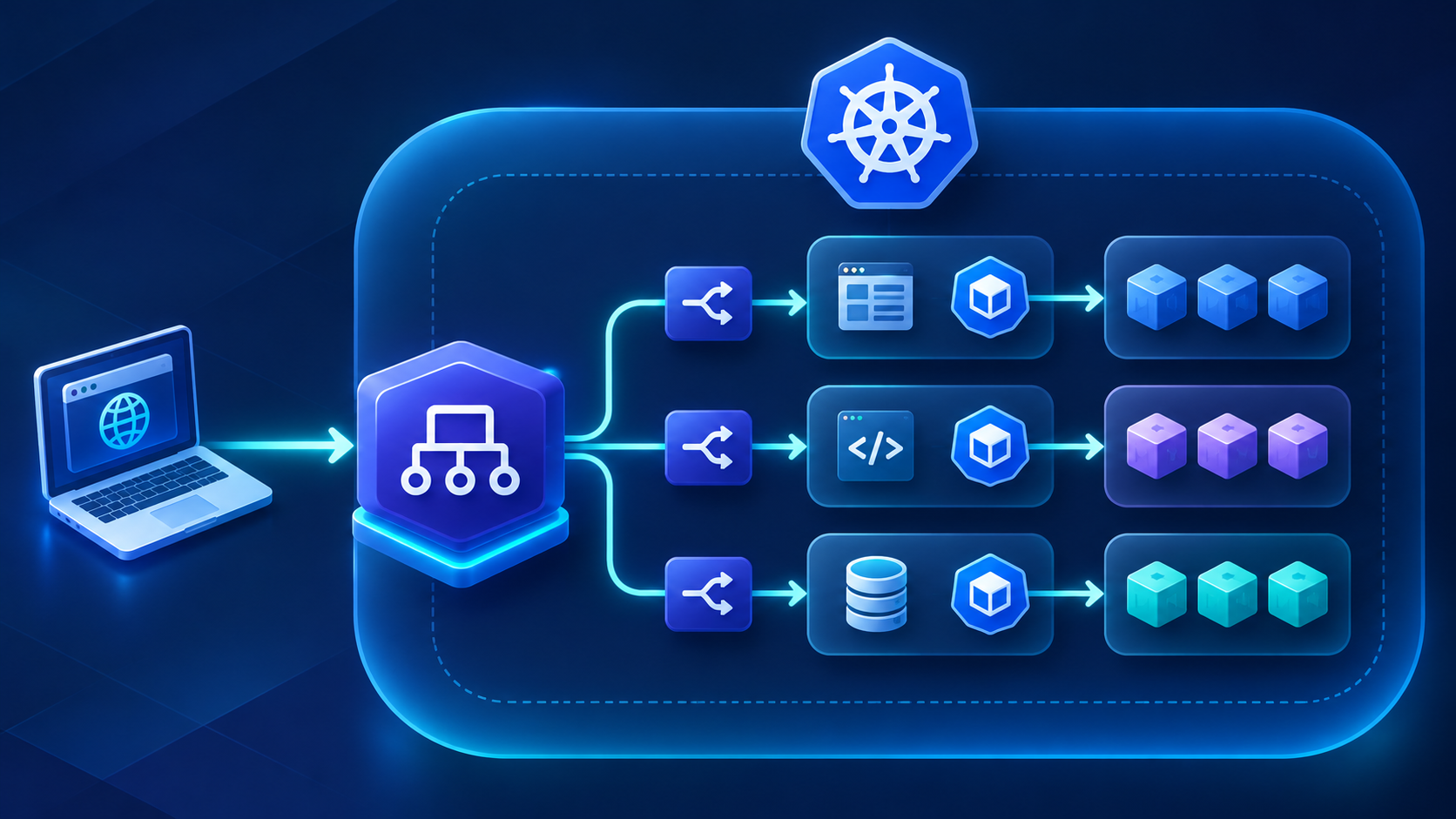
When a user opens the website, the request first reaches the Gateway. The Gateway receives the connection, and the associated HTTPRoute configuration determines where the request should go.
After the routing rules are matched, the request is forwarded to the required Kubernetes Service. The Service then distributes the traffic to the available application Pods.
The traffic flow can be represented as:
Client → Gateway → HTTPRoute → Kubernetes Service → Application PodThis approach simplifies traffic management when multiple applications run in the same cluster.
Configuring Gateway API in Kubernetes
A basic configuration can help demonstrate how Gateway API works.
Before starting, make sure that a compatible Gateway controller and the required Gateway API CRDs are installed in the Kubernetes cluster. Installing the CRDs alone does not make the Gateway functional because a controller is also required.
Step 1: Create GatewayClass
First, create a GatewayClass resource:
apiVersion: gateway.networking.k8s.io/v1
kind: GatewayClass
metadata:
  name: application-gateway-class
spec:
  controllerName: example.com/gateway-controller
The controller name above is only an example. Replace it with the actual controller identifier supported by the Gateway implementation being used.
Step 2: Create a Gateway
Next, configure the Gateway resource:
apiVersion: gateway.networking.k8s.io/v1
kind: Gateway
metadata:
  name: application-gateway
spec:
  gatewayClassName: application-gateway-class
  listeners:
  - name: http
    protocol: HTTP
    port: 80
    allowedRoutes:
      namespaces:
        from: Same
This configuration creates an HTTP listener on port 80.
The allowedRoutes option controls which namespaces can attach routes to the Gateway. In this example, only routes from the same namespace are allowed.
Step 3: Create a Kubernetes Service
The next step is to create a Service for the frontend application:
apiVersion: v1
kind: Service
metadata:
  name: frontend-service
spec:
  selector:
    app: frontend
  ports:
  - port: 80
    targetPort: 8080
The Service selects Pods with the app: frontend label and forwards traffic to port 8080.
Step 4: Configure HTTPRoute
Create an HTTPRoute to connect the Gateway with the frontend Service:
apiVersion: gateway.networking.k8s.io/v1
kind: HTTPRoute
metadata:
  name: frontend-route
spec:
  parentRefs:
  - name: application-gateway
  hostnames:
  - shop.example.com
  rules:
  - matches:
    - path:
        type: PathPrefix
        value: /
    backendRefs:
    - name: frontend-service
      port: 80
This configuration tells Kubernetes to forward requests matching shop.example.com to the frontend-service.
Apply the configuration files using kubectl:
kubectl apply -f gatewayclass.yaml
kubectl apply -f gateway.yaml
kubectl apply -f service.yaml
kubectl apply -f httproute.yaml
To check the created resources, use:
kubectl get gatewayclass
kubectl get gateway
kubectl get httproute
If something is not working as expected, check the Gateway details:
kubectl describe gateway application-gateway
Pay attention to the Accepted and Programmed conditions. These conditions help identify whether the Gateway controller has successfully processed the configuration.
You should also check whether the HTTPRoute has been accepted and attached to the intended Gateway. A YAML configuration can be correct while traffic still fails to reach the backend because of controller or networking issues.
Gateway API vs Traditional Ingress
Both Ingress and Gateway API are used to manage application traffic in Kubernetes, but their capabilities differ.
| Feature | Kubernetes Ingress | Kubernetes Gateway API |
|---|---|---|
| Basic HTTP routing | Supported | Supported |
| HTTPS routing | Supported | Supported |
| Advanced routing | Often depends on controller-specific annotations | Provides dedicated routing capabilities |
| Role separation | Limited | Built into the architecture |
| TCP and UDP routing | Not directly supported by standard Ingress | Supported through dedicated route resources, depending on implementation |
| Extensibility | Controller-dependent | Designed for extensibility |
Applications with simple networking requirements may still be well suited to Ingress. Gateway API provides more flexibility when managing multiple applications and advanced routing requirements.
Practical Use Cases
Gateway API can be useful in several Kubernetes environments.
Microservices Applications
When an application contains multiple services, different HTTPRoute configurations can direct requests to the correct backend.
Canary Deployments
Gateway API supports weighted traffic distribution. An administrator can configure 80% of traffic to reach the existing application version and 20% to reach a newly deployed version, provided the controller supports this feature.
Multiple Development Teams
Different teams can manage their own application routes without directly modifying the shared Gateway infrastructure.
API Routing
Organizations managing multiple APIs can use hostname and path-based routing to direct requests to different backend services.
Things to Consider Before Implementation
Gateway API provides more flexibility, but administrators should check several factors before using it in production.
The first consideration is controller compatibility. Not every Gateway controller supports all Gateway API features. Check the controller documentation before planning the configuration.
Namespace permissions are also important. If the Gateway does not allow routes from a particular namespace, the HTTPRoute may fail to attach.
Existing Ingress annotations should also be reviewed during migration. Some configurations may require different approaches when moving from Ingress to Gateway API.
Production environments should also account for TLS configuration, external load balancer integration, monitoring, and access policies.
Conclusion
Managing incoming traffic becomes more challenging as Kubernetes environments grow and applications become more distributed. Traditional Ingress remains useful for basic routing, but it may not provide the flexibility larger environments require.
As Kubernetes environments grow, managing application traffic requires a structured approach to networking and routing. Gateway API provides a flexible way to separate infrastructure configuration from application-level traffic management. Businesses managing production Kubernetes environments can also benefit from ongoing support for clusters, networking, monitoring, and operations.