


Mobile app development for Ionic Angular apps with Cordova-to-Capacitor migration for easier debugging, better builds, and maintenance.
It was not planned to move our Ionic Angular app from Cordova to Capacitor. Although the app was already in production, cordova setup was difficult to maintain due to the upgrading of Android upgrades, old plugins, Gradle errors, and SDK issues.
This fitness app is also Bluetooth, WiFi, serial, audio system, and IoT compatible, which required more attention in the migration process than a simple app migration.
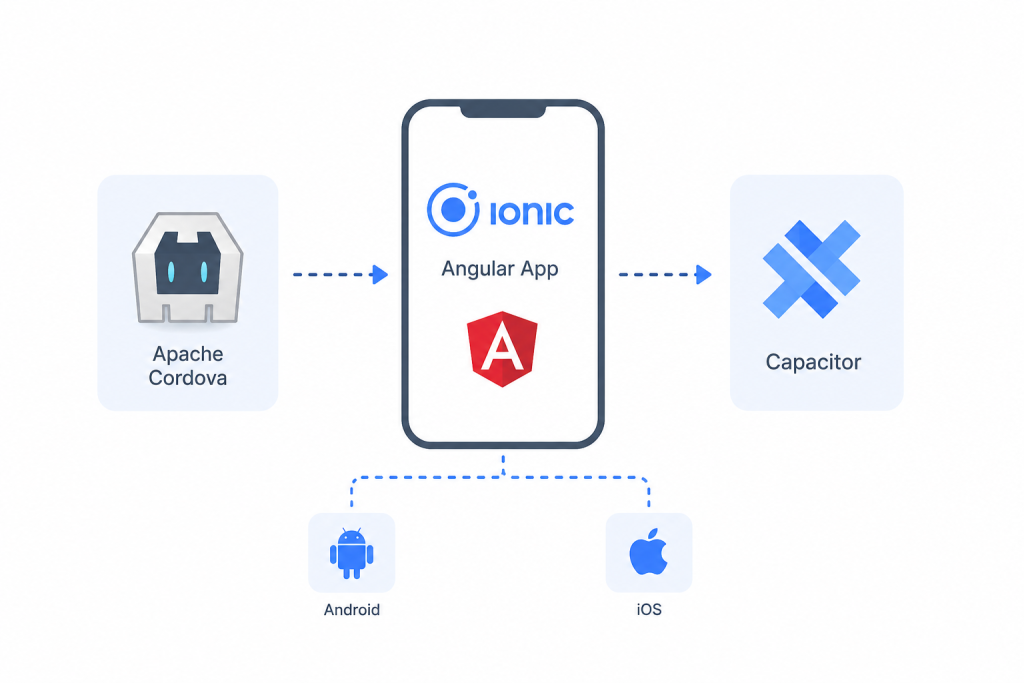
Why We Moved From Cordova to Capacitor
The primary reason was the convenience of native debugging.
In Cordova, native errors were frequently hard to track. Using Capacitor, we were able to open the Android project in Android Studio and use Logcat, as well as set breakpoints.
While developing replacements, Capacitor allowed me to retain a lot of Cordova plugins. This made it easier for us to avoid changing all of our plugins simultaneously.
Starting the Migration
We added Capacitor to the existing project instead of starting again:
npm install @capacitor/core
npm install @capacitor/cli --save-dev
npm install @capacitor/android
npm install @capacitor/ios

npx cap init
npx cap add android
npx cap add ios
This created the android/ and ios/ projects. We could then open them in Android Studio and Xcode.
The setup was simple. Plugin migration took most of the time.
Build Better Mobile Apps Today.

Plugin Migration Was the Hardest Part
Our Bluetooth, audio, and serial integrations needed extra work. Some plugins had direct Capacitor alternatives, while others did not.
| Cordova | Capacitor |
|---|---|
| cordova-plugin-network-information | @capacitor/network |
| cordova-plugin-device | @capacitor/device |
Cordova plugins were still used with Capacitor, as it offers compatibility with various plugins.
This gave us a working app while we handled the harder plugin changes.
Android Build Problems
The Android build caused several errors during the migration.
The most common ones were:
Execution failed for task ‘:capacitor-android:compileDebugJavaWithJavac’
Failed to transform core-for-system-modules.jar
We found that Java, Gradle, and Android SDK versions had to work together correctly. We also had to deal with old dependencies and plugin versions.
These commands became part of our regular troubleshooting:
./gradlew clean
npx cap sync android
npx cap open android
Bluetooth Permissions Needed Testing
Android’s new permission control rules required us to take a look at permission control.
It was not the same with Bluetooth, so we tried it out on different Android versions and physical devices.
For an application that is built for the hardware, real device tests were a must.
What Improved After the Migration?
It took a few months before the app felt stable.
The biggest improvement was native debugging. Android Studio, Logcat, and breakpoints made it easier to find problems.
Builds also became more predictable after we cleaned up old dependencies and build settings.
Later, we worked on Apple Watch heart rate features. Having an Xcode project made that work easier as well.
What We Learned
Before starting a Cordova-to-Capacitor migration:
- Audit your plugins first. Check their status and available alternatives.
- Test replacement plugins. APIs and behavior may differ.
- Record build fixes. Java, Gradle, SDK, and dependency issues can return.
- Migrate in stages. Keep difficult Cordova plugins until suitable replacements are ready.
- Test on real hardware. This is important for Bluetooth, serial, audio, and other hardware features.
Conclusion
It was well worth our while to join the move from Cordova to Capacitor. The migration was a process of time, largely due to plugins, Android build problems, and testing on devices. But debugging in the native was made a little easier, and builds a little more predictable.
If your Ionic Angular app is becoming harder to maintain with Cordova, start by auditing your plugins. That will help you understand the work involved before you begin.

