


Need a smarter email setup? Our OVH Support team guides you to migrate from OVH to Office 365 and unlock better tools, safer data, and easier control.
Upgrade Your Email System: A Clear Path from OVH to Office 365
Every business needs an email system that stays steady and supports both teamwork and security. Office 365 provides these strengths and more, which is why many companies move away from OVH. This guide breaks down the benefits and outlines the steps involved in the migration.
Why You Should Consider Migrating from OVH to Office 365
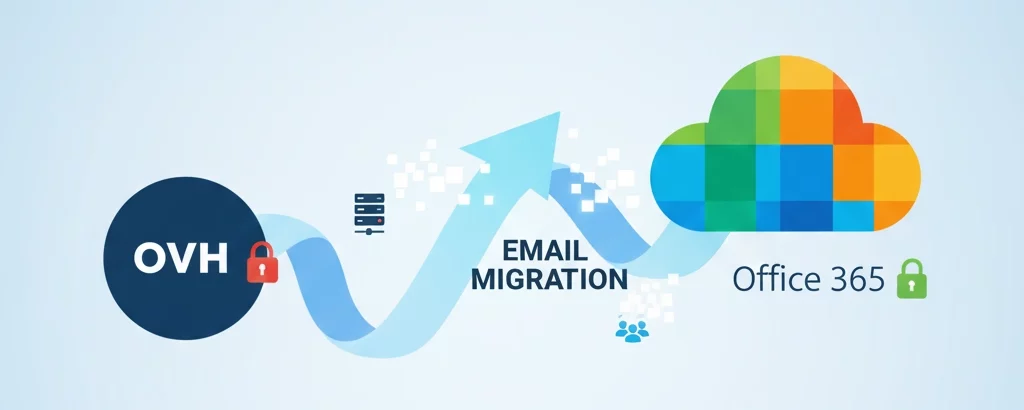
Businesses look for a smooth work environment, steady performance, and strong data protection. Office 365 supports these needs better than a basic hosted email platform. The points below explain why many companies shift from OVH to Office 365.
Key Reasons
- Office 365 brings tools that support teamwork, such as chats, calls, document sharing, and group work in real time.
- You can access your email and files from any place, which supports remote teams and keeps work moving.
- Microsoft protects your data through secure global data centers that follow strict standards, and our experts often include how businesses also manage tasks like configuring DKIM OVH while planning the migration.
- Service uptime stays high because the platform runs on a strong cloud network.
- Growth becomes simple because you add accounts or adjust storage without maintaining servers.
- Long-term costs drop since you avoid server fixes and hardware expenses.
- Your IT team can focus on important work instead of routine maintenance tasks.
Start your smooth OVH migration now.

Quick Comparison
Feature |
OVH Email Hosting |
Office 365 |
| Team Collaboration Tools | Limited | Strong set of apps for teamwork |
| Data Center Locations | Mostly Europe | Spread across many regions |
| Security Standards | Basic | Strong global standards |
| Scalability | Depends on hardware | Easy to grow at any time |
| Remote Work Support | Basic email access | Full cloud access to files and apps |
| Maintenance | Managed by your team | Managed by Microsoft |
This shift helps companies work faster, stay protected, and grow with less effort. The experience becomes smoother for everyone on the team, especially when resolving challenges such as the OVH site not being installed during the transition.
How to Migrate from OVH to Office 365
Moving your email setup from OVH to Office 365 follows a clear sequence. The process becomes easier when each step is prepared in advance. The outline below gives a clean and practical flow that helps you manage the shift without confusion.
Step 1: Prepare Office 365 and OVH
Start by signing in to Office 365 and buying the licenses you need. Add your domain and complete the verification in the OVH DNS panel. After that, export all your OVH user accounts as a CSV file, because this helps you set up the new accounts later.
Step 2: Create user accounts in Office 365
Open the CSV you exported and rebuild it in the format Office 365 accepts. Import it to create the user accounts. Make sure each user has their own entry and set a password for every account so they can log in once the move is done.
Step 3: Export OVH mailboxes
Go to the OVH panel and export each mailbox as a PST file. Save the files in a clear folder so it is easy to match each PST with the right user during the import.
Step 4: Import data into Office 365
Upload the PST files through the Exchange admin center. Map each file to the correct user and give the system some time to bring in the mail, contacts, and calendar items.
Step 5: Prepare for the final move
Change the passwords on the OVH side so the migration tool can access the accounts. Open your migration tool and add the OVH server info, source email details, and the new Office 365 accounts. Start the tool so it can copy any new or missed emails, even if earlier delays were caused by issues like the OVH 504 gateway timeout error during mailbox access.
Step 6: Update DNS and switch email flow
Once the data is in place, update the MX and related DNS records in OVH to point to Office 365. After the changes spread, new emails start reaching the Office 365 inboxes instead of OVH.
Step 7: Do a quick check with users
Make sure users can sign in, send emails, and view their data. Confirm that the licenses are assigned properly. Once everything looks fine, your migration is complete, and users can fully move to their new mail setup.
[Need assistance with a different issue? Our team is available 24/7.]
Conclusion
Switching to a platform that supports better teamwork, strong security, and easier management can make daily work smoother for your team. The steps to migrate from OVH to Office 365 are simple when planned well, and the upgrade brings lasting value. If your current setup feels limited, this move gives your business more control and flexibility. Reach out if you want help getting started.

